1
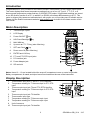
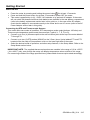
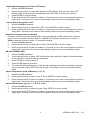
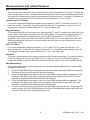
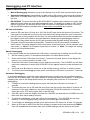
Getting Started Power ON-OFF Power the meter by pressing and holding the power button for at least 1.5 seconds. Press and hold the power button for at least 1.5 seconds to power OFF the meter. This meter is powered by six (6) 1.5VDC ‘AA’ batteries or by optional AC adaptor. If the meter will not switch ON please check that fresh batteries are installed in the rear battery compartment (refer to the battery replacement section later in this guide) or, in the case of the AC adaptor, check that the adaptor is connected correctly to the meter and to an AC source (refer to the AC Power Adaptor section later in this guide). Connecting the RTD and Thermocouple Sensors This meter offers two modes of operation: RTD temperature probe mode (platinum 100 ohm) and Thermocouple temperature probe mode (thermocouple Types K, J, T, E, R, or S). Connect up to four (4) thermocouples to the sub-miniature jacks at the top of the meter labeled T1 through T4. Connect up to two (2) RTD probes (850185) to the 3.5mm ‘phono’ jacks labeled PT1 and PT2 located under the snap-off compartment cover on the lower right side of the meter. Select the desired mode of operation, and other setup features, in the Setup Mode. Refer to the Setup Mode section below. IMPORTANT NOTE: The supplied thermocouple probes are useable in the range of -20 to +250°C (-4 to +482°F) only; even though the meter can display temperature values outside of this range. For measuring outside of the range specified here, please obtain thermocouples rated accordingly. 3 SDL200-en-GB_V2.4 1/15