1
Running and Debugging Projects
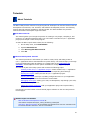
About Running and Debugging Projects
Running or debugging a project in the Nios II IDE executes the project code so you can
analyze the output. Running a project consists of loading the executable code into the target
environment, and then turning control over to the target environment for code execution.
Debugging consists of loading the executable code into the target environment, and then
interactively communicating with the target environment to pause code execution for step-bystep analysis using the debugger integrated in Nios II IDE. Refer to the Debugging the Project
tutorial topic to learn about the Nios II IDE integrated debugger and the many views available
in the Debug perspective.
In the Nios II IDE, run and debug sessions are controlled by run/debug configurations.
Each configuration is a group of settings that specifies which project to run or debug, and
defines the target environment. Some additional global run and debug preferences are also
available.
The actions required to run or debug a project depend on the type of run/debug configuration.
Configurations are categorized by target type. The following sections describe running and
debugging on the various target types.
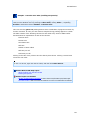
Nios II Hardware System:
Running and debugging on a Nios II hardware target allows you to execute code on a
Nios II processor system in hardware. Executing code on a hardware target allows you to
analyze the real-time behavior of your project. When debugging on a hardware target, you
can view execution trace and view disassembly of the program's execution.
Running and debugging on a Nios II hardware target details the following steps:
1.
Creating a run/debug configuration.
2.
Downloading the SRAM object file (.sof) to the target board to configure the FPGA
with the desired SOPC Builder system.
3.
Downloading the executable software file (.elf) to memory on the target board.
4.
Executing the code.
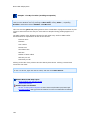
Nios II Instruction Set Simulator:
Running and debugging on a Nios II instruction set simulator (ISS) target allows you
to execute code in simulation on a host PC. Executing code on the ISS allows you to
analyze the behavior of your project without the need for actual hardware. When
debugging on the ISS, you can view execution trace and view disassembly of the
program's execution in the Console view.
Running and debugging on the ISS details the following steps:
1.
Creating a run/debug configuration
2.
Passing the executable software file (.elf) to the ISS
3.
Executing the code
ModelSim Simulation of a Nios II System:
56