1
Setting the clock
SD-AT50
DX-AT50
ENGLISH
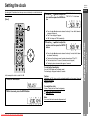
By setting the AV control unit on time, you can use it not only as a clock but also for
timer playback.
3
[Front]
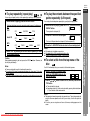
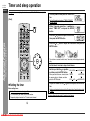
Press the or button to adjust the "AM 12:00" is 12 o'clock midnight.
hour and then press the ENTER but- "PM 12:00" is 12 o'clock noon.
ton.
! Press the or button once to advance the time by 1 hour. Hold it down to
advance continuously.
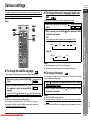
Press the or button to adjust the
minutes and then press the ENTER
button.
! Press the or button once to advance the time by 1 minute. Hold it down
to advance continuously.
! The hour will not advance even if minutes advance from "59" to "00".
! The clock starts from "0" second. (Seconds are not displayed.)
! The display returns to normal after approx. 2 seconds.
To confirm the time display:
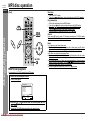
Press the TIMER button on the remote control.
The time display will appear for about 5 seconds.
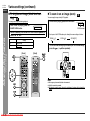
In this example, the clock is set for 9:30 AM.
1
Press the TIMER button.
Caution:
Unplugging the DVD player and the subwoofer/amplifier unit or power failure will
clear the clock setting.
Readjust the clock.
- Setting the clock -
4
Preparation for Use
! The 12-hour display will appear.
! "AM" will change to "PM" automatically.
To readjust the clock:
2
Within 5 seconds, press the ENTER button.
Perform "Setting the clock" from the beginning.
! In step 1, the time will be displayed.
! Follow steps 2 - 4.
Note:
You can set the clock even when the power is off.
Downloaded From Disc-Player.com Sharp Manuals
E-24