1
Installation
MCD3000 Series
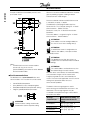
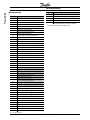
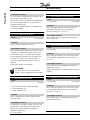
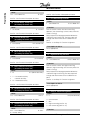
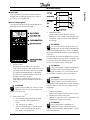
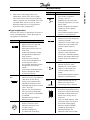
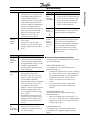
Request ASCII Bit No.
Receive Data
(ssss)
Requests the trip status of the
MCD3000.
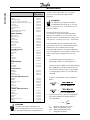
255= No Trip
0= Shorted SCR trip
1= Excess start time trip
2= Overcurrent trip
3= Motor thermistor trip
4= Phase imbalance trip
5= Supply frequency trip
6= Phase rotation trip
7= Instantaneous overload trip
8= Power circuit fault
9= Undercurrent trip
10= Starter overtemperature trip
Trip Code C18
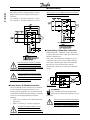
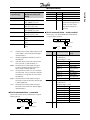
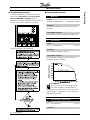
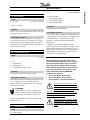
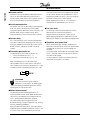
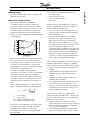
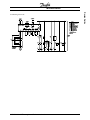
■ Serial communications –data retrieval
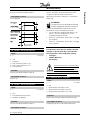
Data can be retrieved from the MCD3000 using the
following format;
Send
Address
Send
Request
ACK
Possible error responses
= Master
Request
Current
ASCII
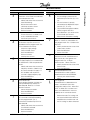
D10
Tempera
ture
D12
NAK
Invalid LRC
= Slave (MCD3000)
Receive Data (dddd)
Requests motor current. The
data is 4 byte decimal ASCII.
Minimum value 0000, Maximum
value 9999 Amps.
Requests the calculated value
of the motor thermal model as
a % of Motor Thermal Capacity.
The data is 4 byte decimal
ASCII. Minimum value 0000%.
Trip point 0105%.
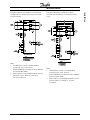
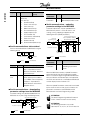
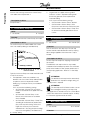
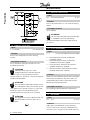
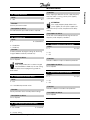
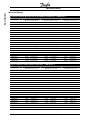
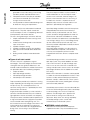
parameter settings from the MCD3000
Parameter settings may be downloaded from the
MCD3000 at any time using the following format;
Repeat until master sends NAK
ACK
Read
Par.
ACK
Par. No
Par. Value NAK
NAK
Invalid
LRC
NAK
Possible error responses
ERR
= Master
14
Invalid parameter
number
ASCII
P10
Comment
Readies MCD3000 to
download parameter values.
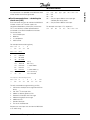
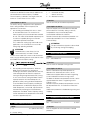
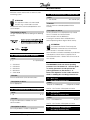
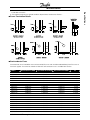
■ Serial communications – uploading
parameter settings to the MCD3000
Parameter adjustments may be uploaded to the
MCD3000 only when it is in the off state i.e. not
starting, running, stopping or tripped. Use the
following format to upload parameters;
Exit serial programming mode
and store parameters to EEPROM
Enter serial
programming mode
Send
Address
ACK
Repeat until master sends NAK
Write
Par.
ACK
Par. No
ACK
Par. Value
NAK
Invalid
LRC
NAK
Invalid
LRC
Par.
Value
NAK
NAK
Possible error responses
Receive
Data
■ Serial communications – downloading
Send
Address
Read
Parameters
Download
Parameters
= Master
Write
Parameters
Upload
Parameters
ERR
ERR
ERR
Unable to program
(motor running)
Invalid Par No.
Par. value out
of range
= Slave (MCD3000)
ASCII
P12
Comment
Readies the MCD3000 for
uploading of parameter
values
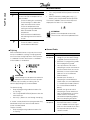
When the MCD3000 receives a Upload Parameters
command it enters the Serial Programming mode.
When in the Serial Programming mode the MCD3000
local push buttons and remote inputs are inoperative,
the serial start command is unavailable and MCD3000
numeric display flashes the letters ‘SP’.
When the Upload Parameters command is terminated
by the master or with an error or with a timeout, the
parameters are written to the EEPROM and the
MCD3000 exits the Serial Programming mode.
ATTENTION
The Serial Programming mode will timeout in
500ms if there has been no serial activity.
ATTENTION
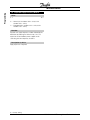
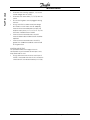
The following parameters may not be
adjusted, Par 43, 44, 45, 46 & 49. If values for
= Slave (MCD3000)
MG.15.A4.22 - VLT is a registered Danfoss trademark