1
Operating Instructions
Appendix
Chapter 10
CLV490 Bar Code Scanner
Teach-in
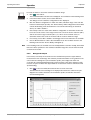
Method of programming the information required to adjust the CLV490 to the reading application in Parameterization mode. Example: teaching in the background for the Autofocus
function, also known as a Ö distance profile.
Terminator
Data block in the reading result on the Ö host interface. Used to terminate the data content
of the bar code. Contains up to 10 elements, consisting of reading diagnosis data and/or
constants (control characters, letters, digits), depending on the configuration. The "Terminator" block is empty in the default setting of the CLV490.
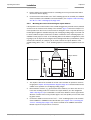
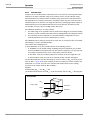
Tracking mode
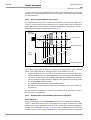
With this type of continuous reading pulse, several objects are located consecutively in the
reading field. To enable the read bar codes to be uniquely assigned to objects, a minimum
gap has to be ensured between the objects and the conveyor increment signals have to be
supplied. The CLV490 is used in conjunction with other CLVs in a network with the OTC400
(e.g. omnidirectional 3-side reading). The CLV490 receives pulse signals and increment values via the OTC400. In this case, the size of the reading field is determined by the distance
between the external sensor for the start/end of the object at the start of the reading field
and the object enable point (data output) of the OTC400 in the conveyor direction at the
end of the reading field. The devices are connected via the CAN interface.
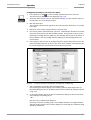
Upload
Method of transferring the Ö parameter set from the CLV490 to the PC Ö using the CLVSetup program. CLV-Setup either transfers a complete copy of the current parameter set
from the memory (RAM) of the CLV490 (UPLOAD TO CLV) or just the parameter previously
processed using the context menu of the right mouse button (UPLOAD PARAMETER) or all parameters of the displayed tab (UPLOAD PARAMETERS OF THIS VIEW). Displays the current parameter values on the tabs. Prerequisite for modifying the current parameter set.
User interface
Windows-based PC software "CLV-Setup" for operating and configuring the CLV490.
8009993/RA61/2007-07-20
© SICK AG · Division Auto Ident · Germany · All rights reserved
10-93