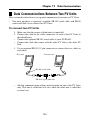
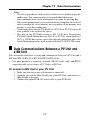
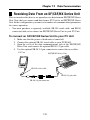
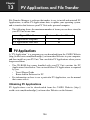
1
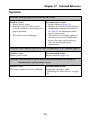
If you do not plan to use the PV Unit for a long time...
Remove the batteries. Batteries will go dead after about six months if you leave
them in the PV Unit while it is not used.
Turning On the PV Unit
You can turn on the PV Unit by pressing the center key. You can also set up the
PV Unit so it turns on when you tap its screen with the stylus (screen tap power
on).
Note
• Use the procedure under “To turn the screen tap power on feature on and off”
on page 21 to control the screen tap power on setting.
• The screen tap power on feature is turned on when you use the PV Unit for
the first time after purchasing it.
5