1
Installation
Proper installation of your Crystal Series LCD Display will ensure the highest possible
picture quality. Whether you are installing the Crystal Series LCD Display temporarily or
permanently, you should take the following into account to ensure that it performs
optimally.
You can either place the Crystal Series LCD Display on a table or in an entertainment
center, or mount it on a wall.
3.3
Installation
Considerations
Wall-Mounting the Crystal
Series LCD Display
Note
EL
IM
IN
A
R
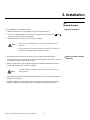
Runco recommends that this be done by a custom installation specialist.
Y
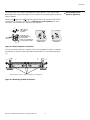
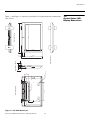
If you do decide to wall-mount the Crystal Series LCD Display, ensure that the wall-mount
bracket is installed according to the instructions included with it. The wall must be capable
of supporting a redundant weight factor three (3) times the weight of the display, or be
reinforced.
Use only the Runco-approved wall-mount kit designed for your
display.
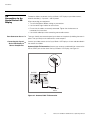
In general, minimize or eliminate light sources directed at the display. Contrast ratio in your
images will be noticeably reduced if light directly strikes the display, such as when a shaft
of light from a window or floodlight falls on the image. Images may then appear washed
out and less vibrant.
Ambient Light
Other considerations and tips that can help improve your installation:
Other Considerations
• Keep the ambient temperature constant and below 35°C (95°F). Keep the display away
from heating and/or air conditioning vents. Changes in temperature may cause drifts in
the display circuitry, which may affect performance.
PR
• Keep the Crystal Series LCD Display away from devices that radiate electromagnetic
energy such as motors and transformers. Common sources of these include slide
projectors, speakers, power amplifiers and elevators.
Runco CX-40HD/CX-46HD Owner’s Operating Manual
15