1
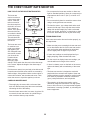
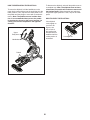
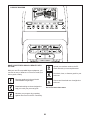
HOW TO SET UP THE CONSOLE HOW TO USE THE MANUAL MODE Before using the elliptical for the first time, set up the console. 1. Begin pedaling or press any button on the console to turn on the console. 1. Create an iFit account. See HOW TO TURN ON THE POWER on page 23. To create an iFit account, or for more information about the account, go to www.iFit.com and click Join iFit. 2. Select the manual mode. The manual mode will be selected automatically each time you turn on the console. The iFit.com account creation page will open. Then, ll in the information elds to create your iFit account. Note: If the console is connected to iFit through your wireless network, the display will cycle between the manual mode and the iFit welcome message. Press the Manual Control button or press the Home button repeatedly to select the manual mode. 2. Connect to your wireless network. Note: In order to download iFit workouts and use some other features of the console, you must be connected to a wireless network. See HOW TO CHANGE CONSOLE SETTINGS on page 30 to connect the console to your wireless network. You can also press any of the workout buttons repeatedly to select the manual mode. 3. Check for firmware updates. 3. Change the resistance of the pedals and the incline of the ramp as desired. See HOW TO CHANGE CONSOLE SETTINGS on page 30 and check for firmware updates. As you pedal, you can change the resistance of the pedals. To change the resistance, press one of the numbered Resistance buttons on the console or press the Resistance increase and decrease buttons on the console or on the right handlebar. 4. Calibrate the incline of the ramp. See HOW TO CALIBRATE THE RAMP on page 33 and calibrate the incline of the ramp. Note: After you press a button, it will take a moment for the pedals to reach the selected resistance level. The console is now ready for you to begin working out. The following pages explain the various workouts and other features that the console offers. To vary the motion of the pedals, you can change the incline of the ramp. To change the incline, press one of the numbered Quick Ramp buttons on the console, press the Quick Ramp increase and decrease buttons on the console, or press the Ramp increase and decrease buttons on the left handlebar. To use the manual mode, see this page. To use an onboard workout, see page 27. To use a set-a-goal workout, see page 28. To use an iFit workout, see page 29. To change console settings see page 30. To use the sound system, see page 32. Note: If there is a sheet of plastic on the display, remove the plastic. Note: After you press a button, it will take a moment for the ramp to reach the selected incline level. Note: The console can display distance in either miles or kilometers. To find which unit of measurement is selected, see step 3 on page 30. 24