1
HOW TO USE AN IFIT WORKOUT
will burn during the workout and a profile of the
resistance settings of the workout.
Note: To use an iFit workout, the console must be connected to a wireless network (see page 30). An iFit
account is also required (see step 1 on page 24).
Note: The calorie goal is an estimate of the
number of calories that you will burn during
the workout. The actual number of calories that
you burn will depend on various factors such
as your weight. In addition, if you manually
change the resistance or incline of the ramp
during the workout, the number of calories you
burn will be affected.
1. Begin pedaling or press any button on the
console to turn on the console.
See HOW TO TURN ON THE POWER on
page 23.
2. Select the iFit mode.
5. Begin pedaling to start the workout.
Press the Home button repeatedly to select the iFit
mode. The iFit welcome message will appear in the
display.
See step 3 on page 27.
During some workouts, the voice of a personal
trainer will guide you through your workout.
3. Select a user.
To stop the workout at any time, stop pedaling. The
time will flash in the display. To resume the workout, simply resume pedaling.
If more than one user is registered with your
iFit.com membership, you can switch users in the
iFit main screen. Press the increase and decrease
buttons next to the Enter button to select a user.
6. Follow your progress.
4. Select an iFit workout.
See step 4 on page 25.
To download an iFit workout in your schedule,
press the Map, Train, or Lose Wt. button to download the next workout of that type in your schedule.
To download the next workout in your schedule,
press the iFit button.
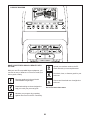
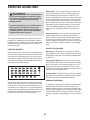
During a competition workout, the display can show
your progress in the race. As you race, the top line
in the matrix will show how much of the race you
have completed. The other lines will show your top
four competitors. The end of the matrix represents
the end of the race.
To compete in a race that you have previously
scheduled, press the Compete button.
7. Measure your heart rate if desired.
To re-run a recent iFit workout from your schedule, first press the Track button. Next, press the
increase and decrease buttons to select the
desired workout. Then, press the Enter button to
start the workout.
See step 5 on page 26.
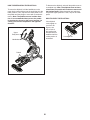
8. Turn on the fan if desired.
To use a set-a-goal workout, press the Set A Goal
button (see page 28).
9. When you are finished exercising, unplug the
power cord.
See step 6 on page 26.
Note: Before some workouts will download, you
must add them to your schedule on iFit.com.
See step 7 on page 26.
For more information about iFit workouts, go to
www.iFit.com.
For more information about the iFit workouts,
please see www.iFit.com.
IMPORTANT: To satisfy exposure compliance
requirements, the antenna and transmitter inside
the console must be at least 8 in. (20 cm) from all
persons and must not be near or connected to any
other antenna or transmitter.
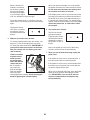
When you select an iFit workout, the display will
show the name, duration, maximum ramp incline
level, and distance of the workout. The display will
also show the approximate number of calories you
29