1
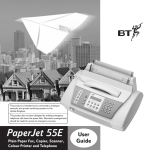
PaperJet 55 user guide – Edition 3 – 10.10.01
Key features
Plain paper fax
Holds up to 40 sheets of A4 paper for ink
jet quality printing.
21 page memory
If you run out of ink or paper while
receiving a fax the document will be stored
in the memory and automatically printed out when
the new paper or ink has been added.
IMPORTANT
To print from your PC
A Bi-directional parallel printer cable is required.
To print in colour, a colour ink cartridge is
required. These items are not supplied with the
machine and must be purchased separately.
Copier with zoom
Make single or multiple copies of
documents. Enlarge copies to 140% or
reduce to 70%
One touch and speed dial memories
10 one touch memories and 31 speed dial
memories can each store a fax number,
phone number and name. Easy to display and scroll
through the memories.
Mono/colour printer for PC
Print documents from your PC.
Interchangeable black and colour
cartridges let you print in colour whenever required.
5