1
Tracer
Table of Contents
About Tracer™................................................................................................................................................................................ 3
Using Tracer.................................................................................................................................................................................... 4
The Transmitter .......................................................................................................................................................................... 4
The Visor ................................................................................................................................................................................ 6
For Hands-Free Mousing....................................................................................................................................................... 6
For Desktop Use .................................................................................................................................................................... 7
The Holster............................................................................................................................................................................. 7
Care and Maintenance.................................................................................................................................................................... 8
Installing or Removing the Batteries.......................................................................................................................................... 9
Recharging ............................................................................................................................................................................. 9
Resetting the Tracer.................................................................................................................................................................10
Transmitter ...........................................................................................................................................................................10
Receiver ...............................................................................................................................................................................10
Resetting Transmitter ID ..........................................................................................................................................................10
On-The-Fly RF Channel Changing..........................................................................................................................................10
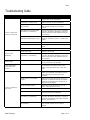
Troubleshooting Guide..................................................................................................................................................................11
Regulatory Information..................................................................................................................................................................12
Contacting Boost ......................................................................................................................................................................13
The Boost Guarantee ...............................................................................................................................................................13
Page 2 of 13
Boost Technology