1
USERS QUICK REFERENCE GUIDE
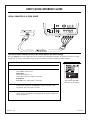
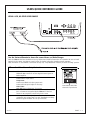
USING A VCR, OR OTHER VIDEO SOURCE
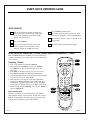
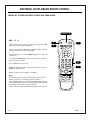
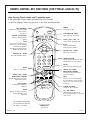
Use the Universal Remote to Access On-screen Menus and Make Changes
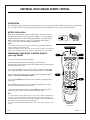
Once the PRO895X has been installed and set up, follow these simplified instructions for operation. Be sure to install
batteries in the remote. See Remote control section for further instructions regarding remote operation.
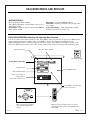
Note: If Video In is used without a connection to loop out, “Loop Out Switch” must be put to the “In Only” position.
VCR or other Video Source Setup Instructions
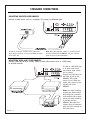
Connections VCR to Video In on PRO895X
VCR Audio Out to Audio In of User-Supplied Stereo System or
Audio Amplifier.
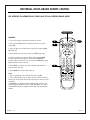
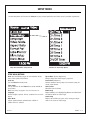
Menus
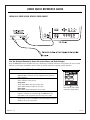
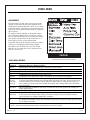
Source Menu Select Video as input source.
Setup Menu Select Aspect Ratio and select proper ratio.
Select Static Setup and adjust if necessary.
Video Menu Make RGB Source adjustments if necessary.
Format
If the new video source has not been connected before, it may
be in a format not recognized by the PRO895X. If the new
format is not recognized, save it and give it a name.
Adjustments Make any additional image adjustments as
required for this unique setup. See the “Installation and Setup
Guide for System Installer” for set up instructions.
206-3275-A
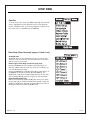
Current Source:
Video
Press
to Select Input
Press ENTER to change.
Source Menu with Video
selected as Input Source
PAGE 11