1
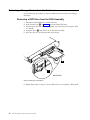
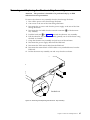
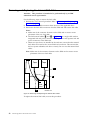
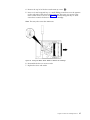
Note: When installing the VPD bracket/card, ensure that the LEDs are correctly
aligned into the holes on the front of the enclosure chassis.
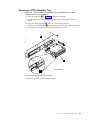
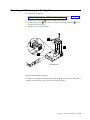
Attention: The VPD card/bracket is not a field replaceable unit as it contains
serial number data that matches the labels on the chassis.
Removing and Replacing the VPD Cable Assembly
Attention: This procedure is intended to be performed only by an IBM
authorized service representative.
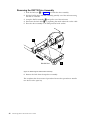
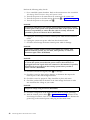
Use the following steps to remove the VPD cable assembly:
1. Perform the cover removal procedure. Refer to “Removing and Replacing the
Cover” on page 20.
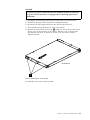
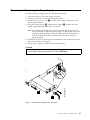
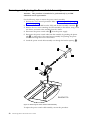
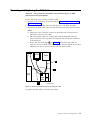
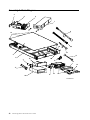
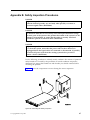
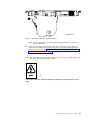
2. Disconnect the VPD cable 3 in Figure 15 on page 32 from the ESM card.
Note: Make note of the connector location on the ESM card to ensure correct
placement of the new VPD cable.
3. Disconnect the VPD cable from the VPD control card, at the front of the
enclosure, and remove the cable.
To replace the VPD cable assembly, reverse this procedure.
Chapter 3. Removal and Replacement
31