1
Telephone operation
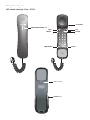
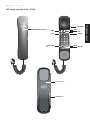
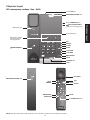
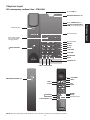
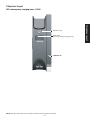
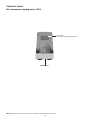
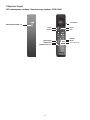
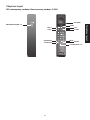
SIP classic trimstyle 1-line - S1310
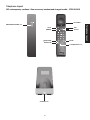
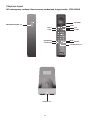
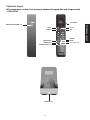
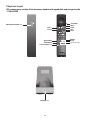
Receive a call
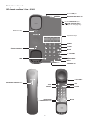
When there is an incoming call, the telephone rings and the TALK key flashes.
To answer a call:
Press TALK or /SPEAKER. The TALK key illuminates when the phone line is in use. The
speakerphone mode.
/SPEAKER key illuminates when in
Place a call
Press TALK or /SPEAKER. Listen for a dial tone and then dial the desired number. The TALK key illuminates when the phone
line is in use. The /SPEAKER key illuminates when in speakerphone mode.
End a call
Press OFF or place the handset back in the telephone base. The call ends when all handsets hang up.
Share a call
During a call, another handset can join the call by pressing TALK or
/SPEAKER.
Speakerphone
During a call, press
/SPEAKER to switch between speakerphone mode and handset earpiece mode.
Redial
The last dialed number on the handset is stored for 15 minutes.
To redial the last dialed number:
Press TALK or /SPEAKER to listen for a dial tone. Then press REDIAL.
Volume
Listening volume can be adjusted on the handset.
To adjust the listening volume:
During a call, press +/VOLUME/- on it to adjust the listening volume. The next call returns to the default listening volume.
Call waiting
1. When you hear a call waiting tone during a call, press FLASH to put the current call on hold and take the new incoming call.
2. Press FLASH at any time to switch back and forth between calls.
Message waiting indicator
When a voice message is received, the MESSAGE WAITING LEDs on the main telephone base and handsets flash.
Mute
To mute the microphone:
1. During a call, press MUTE. The MUTE light turns on when the mute function is turned on. You can hear the party on the other
end but they cannot hear you.
2. Press MUTE again to resume the conversation. The MUTE light turns off.
Hold
To place a call on hold:
1. During a call, press HOLD. The TALK key flashes when the call is on hold.
2. Press TALK or /SPEAKER to release the call from hold, or the call will end automatically after the preset call on hold duration.
58