1
Using the Radio Data System (RDS) (continued)
■
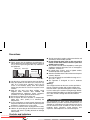
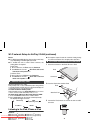
Using the Auto Station Programme
Memory (ASPM)
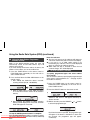
While in the ASPM operation mode, the tuner will
automatically search for new RDS stations. Up to 40
stations can be stored.
If you have already stored some stations in memory, the
number of new stations you can store will be less.
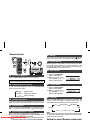
1 Press the TUNER button on the remote control or
FUNCTION button repeatedly on the main unit to
select TUNER function.
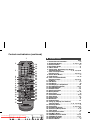
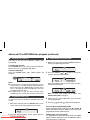
2 Press and hold down the RDS ASPM button on the
remote control.
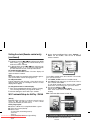
1 After “ASPM” has flashed for about 4 seconds,
scanning will start (87.50 - 108.00 MHz).
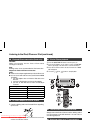
Notes for radio text:
● The first 14 characters of the radio text will appear for
4 seconds and then they will scroll across the display.
● If you tune in to an RDS station which is not
broadcasting any radio text, “No RT” will be displayed
when you switch to the radio text position.
● While radio text data is received or when the text
contents change, “RT” will be displayed.
■
To recall stations in memory
To specify programmed types and select stations
(PTY search):
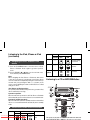
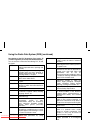
You can search a station by specifying the programme type
(news, sports, traffic programme, etc. ... see page 19) from
the stations in memory.
1 Press the TUNER button on the remote control or
FUNCTION button repeatedly on the main unit to
select TUNER function.
2 When an RDS station is found, “RDS” will appear
for a short time and the station will be stored in
memory.
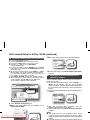
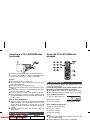
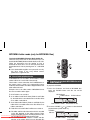
2 Press the RDS PTY button on the remote control.
“SELECT” and “PTY TI” will appear alternately for
about 6 seconds.
3 After scanning, the number of stations stored in
memory will be displayed for 4 seconds, and then
“END” will appear for 4 seconds.
To stop the ASPM operation before it is complete:
Press
the RDS ASPM
button while it is scanning for stations.
Downloaded From
Disc-Player.com
Sharp Manuals
The stations which are already stored in memory will be kept
there.
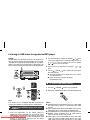
3 Within 6 seconds, press the PRESET (
or
) button
to select the programme type.
Each time the button is pressed, the programme type
will appear. If the button is held down for more than
0.5 seconds, the programme type will appear
continuously.