1
Advanced USB playback
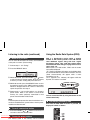
Listening to the radio
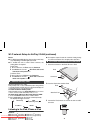
The following functions are the same as CD
operations:
Page
Direct track search . . . . . . . . . . . . . . . . . . . . . . . . . . . .12
Repeat play . . . . . . . . . . . . . . . . . . . . . . . . . . . . . . . . . .12
Random play. . . . . . . . . . . . . . . . . . . . . . . . . . . . . . . . .13
Programmed play (MP3/WMA) . . . . . . . . . . . . . . . . . .13
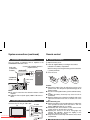
Note:
If USB memory device is not connected, “USB No Media”
will be shown on the display.
Notes:
● This unit only supports “MPEG-1 Audio Layer-3”
format. (Sampling Frequency is 32, 44.1, 48kHz)
● Playback order for MP3 files may differ depending on
the writing software used during file download.
● Bitrate which is supported by MP3 is 32~320 kbps,
WMA is 64~160 kbps.
● For MP3/WMA files, please put “.MP3” “.WMA”
extension. Files cannot be played back if there is no
MP3/WMA extension.
● Playlists are not supported on this unit.
● This unit can display Folder Name or File Name up to
32 characters.
● Maximum total number of MP3/WMA files is 65025.
● Total number of folders read is 999 including folder with
non-playable file. However, the display shows only
folder with MP3 files.
● The display playback time may not be displayed
correctly when playing back a variable bitrate file.
● The ID3TAG information supported are TITLE, ARTIST
and ALBUM only. Title name, artist name and album
name can be displayed by pressing the CD/USB
DISPLAY button during file playback or pause mode.
● WMA meta tag also supports title, artist and album
name which are recorded in WMA files. Copyright
protected WMA files cannot be played back.
Downloaded From Disc-Player.com Sharp Manuals
CD/USB
RDS
■
Tuning
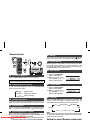
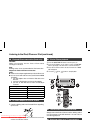
1 Press the ON/STAND-BY button to turn the power on.
2 Press the TUNER button repeatedly to select FM Stereo
or FM Mono.
3 Press the TUNING (
or
) button on the remote
control to tune in to the desired station.
● Manual tuning:
Press the TUNING (
or
) button repeatedly to
tune in to the desired station.
● Auto tuning:
When the TUNING ( or
) button is pressed for
more than 0.5 seconds, scanning will start