1
UBA collectors
The UBA collector is associated with two DataChannel components:
Complex Metric Engine (CME)x.x
Performs calculations on the collected data.
File Transfer Engine (FTE)x.x
Transfers files from the collector output directories and places them in the
input directory of the CME.
Note: Topology Editor includes the channel and collector numbers in the
component names. For example, Data Channel 1 can have Collector UBA
1.1, with Complex Metric Engine 1.1 and File Transfer Engine 1.1.
The FTE writes data to the file /var/adm/wtmpx on each system that hosts a
collector. As part of routine maintenance, check the size of this file to
prevent it from growing too large. For more information about Disk Quota
Management, see Installing Tivoli Netcool Performance Manager - Wireline
Component.
Note: The Solaris version can be configured with strict access default
settings for secure environments. Strict FTP access settings might interfere
with automatic transfers between a DataChannel subchannel and the
DataLoad server. Check for FTP lockouts in /etc/ftpd/ftpusers, and check
for strict FTP rules in /etc/ftpd/ftpaccess.
Follow the instructions in “Adding a UBA collector for a UBA pack.”
Adding a UBA collector for a UBA pack
Use this information to add a UBA collector.
Procedure
1. Load the pack XSD file into an existing topology, as follows:
a. If it is not already open, open the Topology Editor (see Starting the Topology
Editor in the Installing Tivoli Netcool Performance Manager - Wireline
Component).
b. Open a deployed topology (a topology.xml file) (see Opening an Existing
Topology File in the Installing Tivoli Netcool Performance Manager - Wireline
Component).
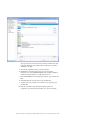
c. In the Technology Pack view, right-click the Technology Packs folder and
select Load Technology Pack from the menu.
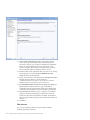
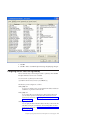
The Load the technology pack configuration metadata window displays.
There are two radio buttons: XSD file and JAR file.
d. Click the JAR file radio button and select Browse.
There is a known issue and a workaround for opening an XSD file from a
UBA pack. For more information, see UBA pack XSD file inside a JAR file
cannot be loaded into the Topology Editor section in IBM Tivoli Netcool
Performance Manager: Pack Release Notes.
e. Using the Directory: field, the up and down arrows, and the Folders pane
on the configuration metadata window, go to the directory where the
technology pack JAR files exist. For example, $PVMHOME/APFiles or a
directory on the Tivoli Netcool Performance Manager CD
f. Select a technology pack JAR file, and then click OK. The pack JAR file is
displayed in the configuration metadata window.
Chapter 6. Installing the Alcatel-Lucent 5620 SAM LogToFile 2.3.0.0 Technology Pack
43