1
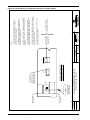
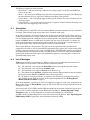
INPUT CONTACT #7
Input Contact Isolator #7
Occurrence of the indicated external event has been detected by Input Contact Isolator #7 of the Open Comms Digital
Input option board.
Press SILENCE on the touch screen to turn off the audible alarm, if so configured. If you are accessing the STS2
system from a terminal, type SH and press RETURN on your keyboard to turn off the audible alarm.
The event, with its assigned name, was written to the Event Log, if so configured.
The alarm has triggered a message to be sent to the modem, if so configured.
If configured to be a latching alarm, press RESET on the display. If you are accessing the unit from a terminal, type
CA and press RETURN on your keyboard.
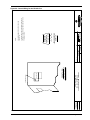
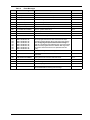
INPUT CONTACT #8
Input Contact Isolator #8
Occurrence of the indicated external event has been detected by Input Contact Isolator #8 of the Open Comms Digital
Input option board.
Press SILENCE on the touch screen to turn off the audible alarm, if so configured. If you are accessing the STS2
system from a terminal, type SH and press RETURN on your keyboard to turn off the audible alarm.
The event, with its assigned name, was written to the Event Log, if so configured.
The alarm has triggered a message to be sent to the modem, if so configured.
If configured to be a latching alarm, press RESET on the display. If you are accessing the unit from a terminal, type
CA and press RETURN on your keyboard.
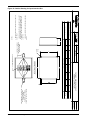
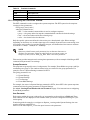
CONFIG MODIFIED
Configuration Modified
A set point has been updated and saved.
Press SILENCE on the touch screen to turn off the audible alarm, if so configured. If you are accessing the STS2
system from a terminal, type SH and press RETURN on your keyboard to turn off the audible alarm.
The event was written to the Event Log, if so configured.
The alarm has triggered a message to be sent to the modem, if so configured.
If configured to be a latching alarm, press RESET on the display. If you are accessing the unit from a terminal, type
CA and press RETURN on your keyboard.
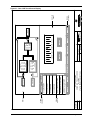
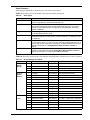
PASSWORD CHANGED
Access Password Changed
The password for accessing the HMI (touch screen) options has been updated and saved.
Press SILENCE on the touch screen to turn off the audible alarm, if so configured. If you are accessing the STS2
system from a terminal, type SH and press RETURN on your keyboard to turn off the audible alarm.
The alarm has triggered a message to be sent to the modem, if so configured.
The event was written to the Event Log, if so configured.
Event Message Help Text
131