1
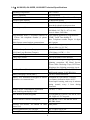
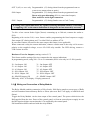
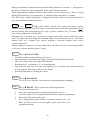
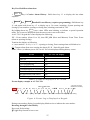
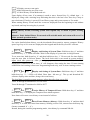
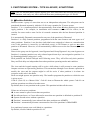
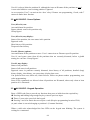
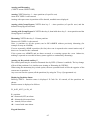
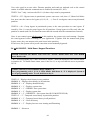
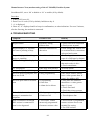
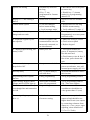
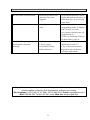
Manual Answer Now (modem setting of the AV-2016DP) Partition System See address 092, set to ‘00’ to disable or ‘01’ to enable (01 by default). Procedure 1. Address 092 set to 01. 2. Enter User 01 code (1234 by default), hold-down key 8. 3. ‘u’ is displayed. 4. Enter 66, ‘A’ displayed and few beeps in confirmation, no other indication. For next 5 minutes, after the first ring, the modem is connected. 4. TROUBLESHOOTING Symptom Possible Cause Remedy Keypad failure Incorrect wiring Blown fuse Incorrect connection of data wires Keypad displays ‘8,’ but does not react to pressing of keys Keypad displays ‘8,’ and keypad buzzer is sounding 3 LEDs flashing, is displayed Zone 8 is troubled ‘H’ is displayed ‘‘ sign is displayed (blinking) No siren upon keypad panic, but siren test is OK Panic keys were pressed Power failure occurred Faulty programming No siren upon alarm at troubled zone Dialer dials, but no alarm message is transmitted on telephone Zone is troubled even though EOL resistor is connected or zone is wire bypassed Power failure Programming Siren fuse Alarm device blown Faulty programming Hardware fail ‘EOL Zone’ feature incorrectly programmed Incorrect resistor value 69 Check color wire connection Check power at panel Check Orange and Yellow wire (or terminal block) connections at keypad and system Close or bypass zone 8 (zone 8 is 24H-type by default) Connect AC power, verify that main socket is alive Check transformer Arm and disarm Arm and disarm Panic alarm address should have a value greater than ‘0’ (zero). See address 050. Siren time-out addresses should have a value greater than ‘0’ (zero) Check fuses and Check that sirens operates Check address 201 and 202 Test telephone line If EOL mode is programmed, connect resistor across zone terminal for testing Use 2.2K resistor