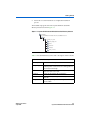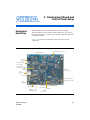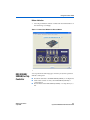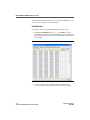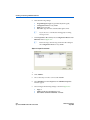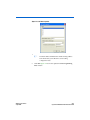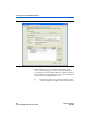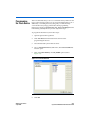
1
Cyclone III FPGA Starter Kit User Guide 101 Innovation Drive San Jose, CA 95134 www.altera.com P25-36228-03 Document Version: Document Date: 1.2 July 2010 © 2010 Altera Corporation. All rights reserved. ALTERA, ARRIA, CYCLONE, HARDCOPY, MAX, MEGACORE, NIOS, QUARTUS and STRATIX are Reg. U.S. Pat. & Tm. Off. and/or trademarks of Altera Corporation in the U.S. and other countries. All other trademarks and service marks are the property of their respective holders as described at www.altera.com/common/legal.html. Altera warrants performance of its semiconductor products to current specifications in accordance with Altera's standard warranty, but reserves the right to make changes to any products and services at any time without notice. Altera assumes no responsibility or liability arising out of the application or use of any information, product, or service described herein except as expressly agreed to in writing by Altera. Altera customers are advised to obtain the latest version of device specifications before relying on any published information and before placing orders for products or services. Part Number UG-01018-1.2 ii Cyclone III FPGA Starter Kit User Guide 0 Altera Corporation July 2010 Contents Chapter 1. Getting Started Introduction ............................................................................................................................................ 1–1 Before You Begin ................................................................................................................................... 1–2 Further Information .............................................................................................................................. 1–2 Software Installation ............................................................................................................................. 1–2 Installing the Cyclone III FPGA Starter Kit .................................................................................. 1–2 Installing the Quartus II Web Edition Software .......................................................................... 1–4 Chapter 2. Development Board and Control Panel Setup Development Board Setup ................................................................................................................... Requirements .................................................................................................................................... Powering Up the Development Board .......................................................................................... Installing the USB-Blaster Driver ........................................................................................................ Control Panel Setup ............................................................................................................................... Configuring the FPGA Using the Quartus II Programmer ............................................................. 2–1 2–2 2–2 2–2 2–3 2–3 Chapter 3. Using the Control Panel Overview ................................................................................................................................................. Control Panel Start ................................................................................................................................ LEDs and Buttons .................................................................................................................................. Illuminating LEDs ............................................................................................................................ Buttons Indicators ............................................................................................................................ DDR SDRAM/ SSRAM/On-Chip Controller ............................................................................................................... Read/Write Data .............................................................................................................................. Read from a File ................................................................................................................................ Write to a File ................................................................................................................................... Flash Memory Programmer ................................................................................................................. Flash Memory Tab ........................................................................................................................... CFI Query .......................................................................................................................................... Read/Write Data .............................................................................................................................. Altera Corporation 3–1 3–1 3–2 3–2 3–3 3–3 3–4 3–5 3–5 3–5 3–6 3–6 3–7 iii Cyclone III FPGA Starter Kit User Guide Contents Chapter 4. Measuring Power on the Cyclone III Starter Board Introduction ............................................................................................................................................ 4–1 Measuring Power ................................................................................................................................... 4–2 Changing the Example Design ....................................................................................................... 4–3 Appendix A. Programming the Configuration Flash Device Overview ................................................................................................................................................ A–1 Creating a Flash-Programmable POF File ........................................................................................ A–1 Programming the Flash Device .......................................................................................................... A–5 Additional Information Revision History ............................................................................................................................... Info–i How to Contact Altera .................................................................................................................... Info–ii Typographic Conventions .............................................................................................................. Info–ii iv Cyclone III FPGA Starter Kit User Guide Altera Corporation 1. Getting Started Introduction Welcome to the Altera® Cyclone® III FPGA Starter Kit, which includes a full-featured field-programmable gate array (FPGA) development board, hardware and software development tools, documentation, and accessories needed to begin FPGA development. The development board includes an Altera Cyclone III FPGA and comes preconfigured with a hardware reference design stored in flash memory. You can use the development board as a platform to prototype a variety of FPGA designs. The starter kit provides an integrated control environment that includes a software controller in a control panel application, a USB command controller, a multi-port SRAM/DDR SDRAM/flash memory controller, and example designs specified in Verilog code. You can use this design as a starting point for test designs. This user guide addresses the following topics: ■ ■ ■ ■ ■ ■ f Altera Corporation July 2010 How to set up, power up, and verify correct operation of the development board. How to install the Cyclone III FPGA Starter Kit. How to install the Altera® Quartus II Web Edition software. How to set up and use the control panel, a graphical user interface (GUI), to manipulate components on the board, implement applications. How to configure the Cyclone III FPGA. How to set up and run example designs. For complete details on the development board, refer to the Cyclone III FPGA Starter Board Reference Manual. Core Version a.b.c variable 1–1 Preliminary Before You Begin Before You Begin Before proceeding, check the contents of the kit: ■ ■ ■ f Further Information Cyclone III FPGA Starter Development Board 12-V DC power supply USB cable For the most up-to-date information on this product, visit the Altera website at www.altera.com/products/devkits/altera/kit-cyc3starter.html. For other related information, refer to the following websites: For More Information About Refer To Additional daughter cards available for purchase www.altera.com/products/devkits/ kit-daughter_boards.jsp Cyclone III handbook www.altera.com/literature/lit-cyc3.jsp Cyclone III reference designs http://www.altera.com/products/devkits/altera/kitcyc3-starter.html Software Installation eStore if you want to purchase devices www.altera.com/buy/devices/buy-devices.html Cyclone III Orcad symbols www.altera.com/support/software/download/pcb/ pcbpcb_index.html Nios® II 32-bit embedded processor solutions www.altera.com/technology/embedded/ emb-index.html This section describes the following procedures: ■ ■ “Installing the Cyclone III FPGA Starter Kit” “Installing the Quartus II Web Edition Software” on page 1–4 Installing the Cyclone III FPGA Starter Kit The license-free Cyclone III FPGA Starter Kit installer includes all the documentation and design examples for the kit. To install the Cyclone III FPGA Starter Kit, follow these steps: 1. Download the Cyclone III FPGA Starter Kit installer from the Cyclone III FPGA Starter Kit page of the Altera website. Alternatively, you can request a development kit DVD from the Development Kits, Daughter Cards & Programming Hardware page of the Altera website. 1–2 Cyclone III FPGA Starter Kit User Guide Altera Corporation July 2010 Getting Started 2. Follow the on-screen instructions to complete the installation process. The installation program creates the Cyclone III FPGA Starter Kit directory structure shown in Figure 1–1. Figure 1–1. Cyclone III FPGA Starter Kit Default Installed Directory Structure <install dir> The default Windows installation directory is C:\altera\<version>\. kits cycloneIII_3c25_start board_design_files demos documents examples factory_recovery Table 1–1 lists the file directory names and a description of their contents. Table 1–1. Installed Directory Contents Directory Name Description of Contents board_design_files Contains schematic, layout, assembly, and bill of material board design files. Use these files as a starting point for a new prototype board design. Altera Corporation July 2010 demos Contains demonstration projects that may or may not contain up-to-date source code. documents Contains the development kit documentation. examples Contains the example design files for the Cyclone III FPGA Starter Kit factory_recovery Contains programming files for returning board to factory default condition. 1–3 Cyclone III FPGA Starter Kit User Guide Software Installation Installing the Quartus II Web Edition Software The Quartus II Web Edition software provides the necessary tools for developing hardware and software for Altera FPGAs. Included in the Quartus II Web Edition software are the Quartus II software, the Nios II EDS, and the MegaCore® IP Library. The Quartus II software (including SOPC Builder) and the Nios II EDS are the primary FPGA development tools for creating the reference designs in this kit. To install the Quartus II Web Edition software, follow these steps: 1. Download the Quartus II Web Edition software from the Quartus II Web Edition Software page of the Altera website. Alternatively, you can request a DVD from the Altera IP and Software DVD Request Form page of the Altera website. 2. Follow the on-screen instructions to complete the installation process. f If you have difficulty installing the Quartus II software, refer to Quartus II Installation & Licensing for Windows and Linux Workstations. The Quartus II Web Edition software includes the following items: ■ Quartus II software—The Quartus II software, including the SOPC Builder system development tool, provides a comprehensive environment for system-on-a-programmable-chip (SOPC) design. The Quartus II software integrates into nearly any design environment and provides interfaces to industry-standard EDA tools. f ■ To compare the Quartus II subscription and web editions, refer to Altera Quartus II Software—Subscription Edition vs. Web Edition. The kit also works with the subscription edition. MegaCore IP Library—A library that contains Altera IP MegaCore functions. You can evaluate MegaCore functions with the OpenCore Plus feature to perform the following tasks: ● ● ● ● Simulate behavior of a MegaCore function in your system Verify functionality of your design, and quickly and easily evaluate its size and speed Generate time-limited device programming files for designs that include MegaCore functions Program a device and verify your design in hardware 1–4 Cyclone III FPGA Starter Kit User Guide Altera Corporation July 2010 Getting Started ■ 1 The OpenCore Plus hardware evaluation feature is an evaluation tool for prototyping only. You must purchase a license to use a MegaCore function in production. f For more information about OpenCore Plus, refer to AN 320: OpenCore Plus Evaluation of Megafunctions. Nios® II Embedded Design Suite (EDS)—A full-featured tool set that allows you to develop embedded software for the Nios II processor which you can include in your Altera FPGA designs. Licensing Considerations The Quartus II Web Edition software is license-free and supports Cyclone III devices without any additional licensing requirement. This kit also works with the Quartus II Subscription Edition software, after you obtain the proper license file. To purchase a subscription, contact your Altera sales representative. Altera Corporation July 2010 1–5 Cyclone III FPGA Starter Kit User Guide Software Installation 1–6 Cyclone III FPGA Starter Kit User Guide Altera Corporation July 2010 2. Development Board and Control Panel Setup Development Board Setup The development board is preloaded with an example design to demonstrate the Cyclone® III device and board features. At power-up, the preloaded design also enables you to quickly confirm that the board is operating correctly. Figure 2–1 shows the Cyclone III development board layout and components. Figure 2–1. Cyclone III Development Board Layout and Components Sense Resistor for FPGA Core Power Measurement (JP6) 1-Mbyte SSRAM (U5) DC Power Input (J2) Power Switch (SW1) Sense Resistor for Shared I/O Power (JP3) 16-Mbyte Parallel Flash (U6) HSMC Connector (J1) USB Connector (J3) Flash LED Cyclone III Device (U1) Configuration Done LED USB UART (U8) JTAG Header (J4) Reconfigure and Reset Push Buttons User Push Button Switches User LEDs 32-Mbyte DDR SDRAM (U4) Altera Corporation July 2010 50-MHz System Clock 2–1 Preliminary Installing the USB-Blaster Driver Requirements Before you proceed, ensure that the follwing items are installed: ■ ■ ■ Altera® Quartus® II software on the host computer Cyclone III FPGA Starter Kit USB-Blaster™ driver software on the host computer. The Cyclone III FPGA starter development board includes an integrated USB-Blaster circuitry for FPGA programming. Powering Up the Development Board To power-up the development board, follow these steps: 1. Ensure that the ON/OFF switch (SW1) is in the OFF position (up). 2. Connect the USB-Blaster cable from the host computer to the USB-Blaster port on the development board. 3. Connect the 12-V DC adapter to the development board and to a power source. w Installing the USB-Blaster Driver Only use the supplied 12-V power supply. Power regulation circuitry on the board could be damaged by supplies greater than 12 V. 4. Press the power switch (SW1). 5. Confirm that all four user LEDs are ON. The Cyclone III FPGA development board includes an integrated USB-Blaster circuitry for FPGA programming. However, for the host computer and board to communicate, you must install the USB-Blaster driver on the host computer. Installation instructions for the USB-Blaster driver are available on the Altera website at www.altera.com/support/software/drivers/ dri-index.html. On the “Altera Programming Cable Driver Information” page of the Altera website, locate the table entry for your configuration and click the link to access the instructions. 2–2 Cyclone III FPGA Starter Kit User Guide Altera Corporation July 2010 Development Board and Control Panel Setup Control Panel Setup Setting up the control panel involves the following: ■ ■ 1 Configuring the FPGA Starting the control panel Power up the board and ensure that is is operational. For more information about using the control panel, refer to the “Using the Control Panel” chapter. Configuring the FPGA Using the Quartus II Programmer You can use the Quartus II Programmer to configure the FPGA with a specific .sof. Before configuring the FPGA, ensure that the Quartus II Programmer and the USB-Blaster driver are installed on the host computer, the USB cable is connected to the development board, power to the board is on, and no other applications that use the JTAG chain are running. To configure the Cyclone III FPGA, follow these steps: Altera Corporation July 2010 1. Start the Quartus II Programmer. 2. Click Add File and select the path to the desired .sof. 3. Turn on the Program/Configure option for the added file. 4. Click Start to configure the selected file to the FPGA. Configuration is complete when the progress bar reaches 100%. 2–3 Cyclone III FPGA Starter Kit User Guide Configuring the FPGA Using the Quartus II Programmer 2–4 Cyclone III FPGA Starter Kit User Guide Altera Corporation July 2010 3. Using the Control Panel Overview The control panel consists of the following: ■ ■ The graphical user interface (GUI) application on the host computer The standard Nios II hardware design running on the board's Cyclone III FPGA device After installing the Cyclone III FPGA Starter Kit, you can locate the control panel for the hardware and software in the <kit path>\demos\control_panel directory. The design downloaded to the Cyclone III device implements a command controller that processes board commands sent over the USB-Blaster from the control panel. To perform the appropriate actions, the command controller communicates with the controller of the targeted board I/O device. You can perform the following actions with the control panel: ■ ■ ■ Light up LEDs Detect push button presses Read from and write to the DDR SDRAM, SRAM, flash memory, and on-chip RAM The following sections describe how to perform the above actions with the control panel already open on the host computer. If not already open, launch the control panel as described in “Control Panel Start”. Control Panel Start The Cyclone III development board is shipped with an example design stored in the flash memory which configures the Cyclone III FPGA upon power-up with the standard Nios II design. 1 Altera Corporation July 2010 For an older version of the Cyclone III development board shipped with the Cyclone III FPGA Starter Kit v7.1.0, v7.2.0, or 8.0.0 application, you must manually configure the cycloneIII_3c25_start_niosII_standard.sof into the FPGA before launching the control panel application. Core Version a.b.c variable 3–1 Preliminary LEDs and Buttons You can locate the source for the example design in the <kit path>\examples\cycloneIII_3c25_starter_board_standard directory. 1 To launch the control panel user interface, run the control_panel.exe program found in the <kit path>\demos\control_panel directory (Figure 3–1). Figure 3–1. Control Panel Window LEDs and Buttons Illuminating LEDs To illuminate an LED, follow these steps: 1. The LED & Buttons tab should be visible when the application runs. If it is not visible, click the LED & Buttons tab (Figure 3–2). 2. Click on LEDs to individually turn on the LEDs. 3–2 Cyclone III FPGA Starter Kit User Guide Altera Corporation July 2010 Using the Control Panel Buttons Indicators 1. Press the push-button switches on the board. Notice that buttons on the GUI change accordingly. Figure 3–2. Control Panel Window for LEDs and Buttons DDR SDRAM/ SSRAM/On-Chip Controller You can perform the following types of memory read/write operations with the control panel: ■ ■ ■ Altera Corporation July 2010 Read from and write to the DDR SDRAM, SSRAM, or on-chip device Write entire contents of a file, to the DDR SDRAM, SSRAM, or on-chip device Read contents of the DDR SDRAM, SSRAM, or on-chip device, to a file 3–3 Cyclone III FPGA Starter Kit User Guide DDR SDRAM/ SSRAM/On-Chip Controller The following sections describe how to access the DDR SDRAM. You can use the same procedure to access the SSRAM. Read/Write Data To read from and write to the DDR SDRAM, follow these steps: 1. Click the DDR SDRAM tab (Figure 3–3). The Address column indicates the hex address of the DDR SDRAM. The values inside the 0-3, 4-7, 8-B, and C-F columns are the DDR SDRAM contents in hex words format. Figure 3–3. Control Panel DDR SDRAM Tab 2. To write a 32-bit word to the DDR SDRAM, click the desired location, enter the desired value in hex format, and press Enter. 3–4 Cyclone III FPGA Starter Kit User Guide Altera Corporation July 2010 Using the Control Panel Read from a File To read the contents of a file and load it to the DDR SDRAM, follow these steps: 1. Click Load File. 2. Browse to sample.txt located in the control_panel directory and click Open. This step instantiates the DDR SDRAM controller and loads the text contents into the DDR SDRAM. Notice that the Data to Ascii-text column shows the DDR SDRAM contents in Ascii value. Write to a File To write the contents of the DDR SDRAM to a file, follow these steps: Flash Memory Programmer 1. Click Save File. 2. Enter the start and end addresses of the DDR SDRAM. 3. Choose a file name and click Save. This instantiates the controller to read the DDR SDRAM contents from the start address to the end address, and write the contents to a file. You can perform the following operations to read from and write to the board’s flash memory with the control panel: ■ ■ ■ ■ ■ c Altera Corporation July 2010 Perform a CFI query of flash memory Erase select blocks of flash memory Write 32-bit hex word to flash memory Write a binary file to flash memory Load the contents of the flash memory into a file Do not exit from the control panel while erasing the flash memory. 3–5 Cyclone III FPGA Starter Kit User Guide Flash Memory Programmer Flash Memory Tab To use the flash memory functions, click the Flash Memory tab (Figure 3–4). Figure 3–4. Control Panel Flash Memory Tab CFI Query The common flash interface (CFI) flash memory devices conform to basic flash commands. The most basic command is Query which switches the device into a ROM table mode so that features of the flash device are determined by reading values from the table. To perform a CFI query using the host application, click CFI Query. Notice that the memory table displays contents that correlate with the table contents as described in the device datasheet. To put the flash device back in user mode, press Reset on the control panel. 3–6 Cyclone III FPGA Starter Kit User Guide Altera Corporation July 2010 Using the Control Panel Read/Write Data To read from and write to the flash memory, follow these steps: Figure 3–5. Control Panel Flash Memory Tab Altera Corporation July 2010 1. Click Erase Block to perform a block erase of the flash memory. The Address column indicates the hex address of the flash memory. The values inside the 0-3, 4-7, 8-B, and C-F columns are the flash memory contents in hex words format. 2. To write a 32-bit word to the flash memory, click the desired location, enter the desired value in hex format, and press Enter. 3–7 Cyclone III FPGA Starter Kit User Guide Flash Memory Programmer 3–8 Cyclone III FPGA Starter Kit User Guide Altera Corporation July 2010 4. Measuring Power on the Cyclone III Starter Board Introduction One of the main features of the Cyclone® III device is its low power consumption. You can measure the power of the 3C25 device on the Cyclone III starter board under various conditions with an example design provided with the kit. The power example design allows you to control the amount of logic utilized in the FPGA, the clock frequency, the number of I/Os being used, and measure the effect on the power to the Cyclone III device. Because the Cyclone III starter board has only four buttons and four LEDs, interaction with the board is minimal as defined below. Table 4–1 describes the functionality of the four input buttons that control the power example design. Table 4–1. Four Input Button Functionality Button FPGA Pin Type Description 1 F1 Reset Resets the demo to the beginning, node i_nrst. 2 F2 Toggle Advances the example design to the next higher frequency, node i_nfreq_next. 3 A10 Toggle Advances the example design to the next higher resource utilization, node_i_nperc_next. 4 B10 Press and Hold Enables the outputs to toggle, node i_noutput_ena. Tables 4–2 and 4–3 describe how the LEDs indicate the example design’s current power state. Table 4–2. LEDs Power State (Frequency) LEDs Displays Frequency Altera Corporation July 2010 State MSB LSB LED2 LED1 Core Version a.b.c variable Clock Frequency (MHz) 00 0 01 33 10 67 11 100 4–1 Preliminary Measuring Power Table 4–3. LEDs Power State (Resources) LEDs Displays Resources MSB LSB LED4 LED3 State % of Design Used 00 25% 01 50% 10 75% 11 100% The design used for power measurement is a replicated set of randomly filled ROMs that feed a multiplier block and a shift register that is fed by a signal that changes every clock cycle. Tables 4–2 and 4–3 show the power state which represent the percent of the full design used. As compiled, this full design uses: ■ ■ ■ ■ ■ ■ ■ ■ Measuring Power Logic elements: 22,493/24,624 (91%) Combinational functions: 1,961/24,624 (8%) Dedicated logic registers: 21,133/24,624 (86%) Total registers: 21,133 Total pins: 73/216 (34%) Total memory bits: 524,288/608,256 (86%) Embedded Multiplier 9-bit elements: 128/132 (97 %) Total PLLs: 1/4 (25%) The example design is located in <kit install>\examples\cycloneIII_3c25_start_power_demo. Configure the FPGA with the .sof found in the directory. 1 f The input clock (i_clk PIN_B9) is the 50-MHz oscillator on the board, which generates the input clock for the reference design through a PLL For more information on configuring the FPGA, refer to “Configuring the FPGA Using the Quartus II Programmer” on page 2–3. Current sense resistors (0.010 ± 1%) are installed at locations JP6 (FPGA core power) and JP3 (FPGA I/O power + other device I/O power). With a digital multimeter set to mV measurement range, the resistor at location JP6 measures the core power. The resistor at location JP3 measures the I/O power. To measure the current being used in various configurations, use the following steps: 4–2 Cyclone III FPGA Starter Kit User Guide Altera Corporation July 2010 Measuring Power on the Cyclone III Starter Board 1 To obtain the power (P) in milliwatts, measure <Measured Voltage> (the voltage across the sense resistors at JP6 or JP3) in mV and calculate the nominal power using the equation: P = 100 x <Measured Voltage> x <Supply Voltage> where <Supply Voltage> is 1.2 V for JP6 and 2.5 V for JP3. You can use the four input buttons to advance through the various power state as outlined in Table 4–2. Notice how current increases as frequency and resource usage increase. You can also measure the I/O power consumed by measuring the voltage across sense-resistor JP3 when Button 4 is pressed and held. Because this 2.5-V power rail is shared with other devices, there is a nominal 100 mW that must be subtracted from the calculated I/O power to obtain the FPGA I/O power. The number of I/O pins used is controlled by the resource state (shown in Tables 4–2 and 4–3). For each increment in resources, 16 additional I/O pins are added (refer to Table 4–4). Table 4–4. I/O Pin & Resource State LED4/LED3 Number of I/O Pins 00 16 01 32 10 48 11 64 Similarly, the toggle-frequency of these I/O pins is set by the overall design frequency (refer to Table 4–1). Changing the Example Design The source code for the Cyclone III power example design is also provided so you can use it as a starting point for your own measurements. You can adjust the number of outputs by changing parameter NUM_OUTPUTS_PER_STAMP. The default is 16, which for four resource percentage steps equates to 16 x 4 = 64. The appropriate pins to be used as outputs are pre-assigned to the HSMC connector (J1). If you would like to look at more than the 76 I/Os available on J1, you need to make the appropriate pin assignments. Altera Corporation July 2010 4–3 Cyclone III FPGA Starter Kit User Guide Measuring Power 4–4 Cyclone III FPGA Starter Kit User Guide Altera Corporation July 2010 Appendix A. Programming the Configuration Flash Device Overview The Intel® P30 flash device uses active parallel flash configuration to configure the Cyclone® III device on power up. The Cyclone III Starter Board has a factory default configuration programmed into the P30 flash; however, after developing your own project, you may want to replace this factory default configuration with your own. This appendix describes how to reprogram the Intel P30 flash device. Creating a FlashProgrammable POF File After a Quartus II compilation, a Programmer Object File (.pof) is created. Before you can program this file into the Intel P30 flash device on the Cyclone III development board, you must modify the .pof by performing the following steps: 1. Choose Convert Programming File from the File menu. The Convert Programming Files window opens (refer to Figure A–1). Figure A–1. Convert Programming Files Window Altera Corporation July 2010 A–1 Cyclone III FPGA Starter Kit User Guide Creating a Flash-Programmable POF File 2. Select the following settings: ● ● ● ● Programming File Type: Programmer Object File (.pof) Configuration Device: CFI_128MB Mode: Active Parallel File Name: Type the name of the flashable .pof to write 1 3. If you choose to overwrite the existing .pof, a warning message occurs. Under Input file to the convert, select Configuration Master under SOF Data. Refer to Figure A–2. 1 Before moving to the next step, ensure that the setting for the Configuration Device is CFI_128MB. Figure A–2. Input File to Convert 4. Click Add File. 5. Choose the .sof you want to convert and click OK. 6. Select SOF Data and click Properties. The SOF Data Properties window appears. 7. Select and type the following settings as shown in Figure A–3: ● ● ● Pages: 0 Address mode for selected pages: Start Start address (32-bit hexadecimal): 0x020000 A–2 Cyclone III FPGA Starter Kit User Guide Altera Corporation July 2010 Figure A–3. SOF Data Properties 1 8. Altera Corporation July 2010 The flash address 0x20000 is the default starting address from which the Cyclone III device starts loading configuration data. Click OK. Figure A–4 shows the updated Convert Programming Files window. A–3 Cyclone III FPGA Starter Kit User Guide Creating a Flash-Programmable POF File Figure A–4. Updated Convert Programming Files Window 9. Click Generate. If you are overwriting the input .pof you will receive a warning asking if you want to overwrite it. Click Yes to overwrite the file or enter a different filename. When the Quartus II software finishes converting the file, you can use the converted .pof to program the on-board parallel flash device. 1 A–4 Cyclone III FPGA Starter Kit User Guide The Quartus II software also generates a MAP file, which can help you debug issues with locations in the flash device. Altera Corporation July 2010 Programming the Flash Device Altera recommends that you do not overwrite the factory hardware and factory software images unless you are an expert with the Altera tools or deliberately overwriting the factory design. If you unintentionally overwrite the factory image, perform these flash programming instructions using the cycloneIII_3c25_start_niosII_standard.pof found in the factory_recovery directory for the object file in step 9. To program the flash device, follow these steps: 1. Open the Quartus II Programmer. 2. Click Auto Detect from the button list to the left of the programming file list area. 3. Select the detected Cyclone III 3C25 device. 4. Choose Attach Flash Device (Edit menu). The Select Flash Device window opens. 5. Turn on the Flash Memory and CFI_128MB options (refer to Figure A–5). Figure A–5. Select Flash Device 6. Altera Corporation July 2010 Click OK. A–5 Cyclone III FPGA Starter Kit User Guide Programming the Flash Device 7. In the Quartus II Programmer, select the CFI_128MB device. 8. Click Change File from the button list at the left of the programming file area. 9. Select the converted .pof that you generated in the previous section. 1 To restore factory flash contents, choose cycloneIII_3c25_start_niosII_standard.pof located in the factory_recovery directory as your converted .pof. 10. Turn on the Program/Configure option for all devices shown in the Programmer. 1 Turning on the option for the .pof enables all three options, which is what you want to do (refer to Figure A–6). Figure A–6. POF Options 11. Click Start. The Programmer loads the special flash programming hardware into the FPGA, which allows the Programmer to communicate with the flash device. The Programmer sends the .pof to the flash device via the flash programming hardware. The Quartus II Message window displays the bank addresses as they are erased and then written. 12. To configure the Cyclone III 3C25 with your design from the on-board flash device, either push the reconfiguration button or turn the Cyclone III Starter Board off and then on again. A–6 Cyclone III FPGA Starter Kit User Guide Altera Corporation July 2010 Additional Information Revision History The table below displays the revision history for the chapters in this user guide. Chapter Date Version All July 2010 1.2.0 Changes Made ● ● ● ● ● ● All March 2010 1.1.0 ● ● ● ● ● 1, 2, 4 June 2008 1.0.1 ● ● First publication. ● ● April 2007 Altera Corporation 1.0.0 Updated the directory structure in Figure 1–1. Updated “Control Panel Start” section and Figure 3–1. Updated “LEDs” section and Figure 3–2. Updated “DDR SDRAM/SSRAM Controller and Programmer” section and Figure 3–3. Updated “Flash Memory Programmer” section and Figure 3–4. Updated directory structure figure and installed directory contents table. Updated the control panel user interface executable file name. Updated the kit directory path. Updated the configuration SOF file name. Updated kit's example design file name. ● ● All Removed “Licensing the Quartus II Software”. Updated Figure 1–1 on page 1–3. Updated “Installing the Quartus II Web Edition Software” on page 1–4. Updated “Installing the Cyclone III FPGA Starter Kit” on page 1–2. Updated “Further Information” on page 1–2. Updated Copyright information. Info–i Preliminary How to Contact Altera How to Contact Altera Cyclone III FPGA Starter Kit User Guide For the most up-to-date information about Altera products, refer to the following table. Contact Note (1) Contact Method Address Technical support Website www.altera.com/support Technical training Website www.altera.com/training Email [email protected] Product literature Website www.altera.com/literature Non-technical support (General) Email [email protected] (Software Licensing) Email [email protected] Note to Table: (1) You can also contact your local Altera sales office or sales representative. Typographic Conventions Visual Cue This document uses the typographic conventions shown below. Meaning Bold Type with Initial Capital Letters Command names, dialog box titles, checkbox options, and dialog box options are shown in bold, initial capital letters. Example: Save As dialog box. bold type External timing parameters, directory names, project names, disk drive names, filenames, filename extensions, and software utility names are shown in bold type. Examples: fMAX, \qdesigns directory, d: drive, chiptrip.gdf file. Italic Type with Initial Capital Letters Document titles are shown in italic type with initial capital letters. Example: AN 75: High-Speed Board Design. Italic type Internal timing parameters and variables are shown in italic type. Examples: tPIA, n + 1. Variable names are enclosed in angle brackets (< >) and shown in italic type. Example: <file name>, <project name>.pof file. Initial Capital Letters Keyboard keys and menu names are shown with initial capital letters. Examples: Delete key, the Options menu. “Subheading Title” References to sections within a document and titles of on-line help topics are shown in quotation marks. Example: “Typographic Conventions.” Info–ii Preliminary Altera Corporation Additional Information Visual Cue Courier type Typographic Conventions Meaning Signal and port names are shown in lowercase Courier type. Examples: data1, tdi, input. Active-low signals are denoted by suffix n, e.g., resetn. Anything that must be typed exactly as it appears is shown in Courier type. For example: c:\qdesigns\tutorial\chiptrip.gdf. Also, sections of an actual file, such as a Report File, references to parts of files (e.g., the AHDL keyword SUBDESIGN), as well as logic function names (e.g., TRI) are shown in Courier. 1., 2., 3., and a., b., c., etc. Numbered steps are used in a list of items when the sequence of the items is important, such as the steps listed in a procedure. ■ Bullets are used in a list of items when the sequence of the items is not important. ● • v The checkmark indicates a procedure that consists of one step only. 1 The hand points to information that requires special attention. c A caution calls attention to a condition or possible situation that can damage or destroy the product or the user’s work. w A warning calls attention to a condition or possible situation that can cause injury to the user. r The angled arrow indicates you should press the Enter key. f The feet direct you to more information on a particular topic. Altera Corporation Info–iii Preliminary Typographic Conventions Info–iv Preliminary Cyclone III FPGA Starter Kit User Guide Altera Corporation