1
INSTALLING ADAPTER CARDS
•
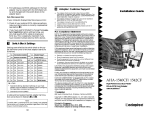
Change the ROM address from the factory setting to the
recommended setting as per Table 2-1. Switches 6,8
should be ON (CLOSED) and switch 7 should be OFF
(OPEN)
•
Change the I/O PORT address from the factory setting to
the recommended setting as per Table 2-2. Switch 2,3
should be ON (CLOSED) and switch 4 should be OFF
(OPEN)
•
The floppy disk option MUST be disabled by ensuring that
switch 5 is ON (CLOSED). The default setting for an
Adaptec 1542C SCSI controller is OFF (OPEN)
•
If the Adaptec SCSI Adapter card ONLY controls either an
internal hard disk or an external optical disk drive then the
AHA Termination must be enabled, set switch 1 to OFF
(OPEN) to allow the termination to be controlled by the software set-up menus.
SW1
SW1
Off/Open
*
1
* *
2
3
*
4
*
5
* *
6
7
*
8
GS960518
Figure 2-5. Adaptec 1540C/1542C SCSI Host Adapter Card
Software Set-up
The software set-up menus are viewed by rebooting the PC into
DOS, during the reboot procedure a heading will appear on the
monitor requesting the user to press <Ctrl-A> to access the
set-up menus.
The Host Adapter Port Address menu shows a list of all the I/O
PORT addresses available, with a highlight bar on the I/O
PORT address selected by the dipswitches. Press <Enter> to
select the correct Port Address.
I-E97-811-1C
ADAPTEC SCSI HOST ADAPTER CARD: MODEL 1540C/1542C/1542CF
2 - 13