1
ENGLISH
DISPLAY
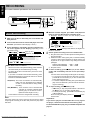
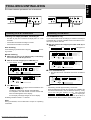
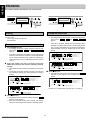
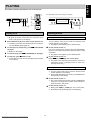
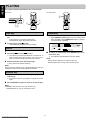
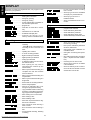
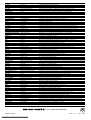
Messages, as listed and explained here, may appear on the
display for your guidance.
........... to start synchronised recording
from a source
.................. when trying to record on a finalized
CD-R(W) or a prerecorded CD
General
......................... reading disc information
................. when trying to record on a
................................. during tray opening
finalized CD-RW
............................... during tray closing
.............. when a professional source is connected
......................... no disc inserted, disc unreadable or
disc inserted upside down
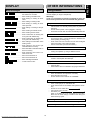
Play
................... program full
.............. insert disc or insert disc in correct
way
......................... program mode selected
.............. will be followed by album title
................. inserted disc is no audio CD
.............. will be followed by track title
.............. unfinalized CD-R(W) disc
........... will be followed by artist name
................ indicates the amount of text
memory used for unfinalized discs
........... will be followed by track artist name
Others
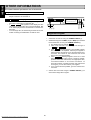
Recording
................................. - when 9 STOP is pressed during
recording
.............. when the recorder enters a data
track during recording
- when 9 STOP is pressed during
recording the first 4 seconds of a
track
.............. laser power calibration performed
96 times, finalize disc
........... during laser power calibration for
unfinalized discs
............................ updating disc contents
........... during disc recovering after power
failure
.................... no more recording possible
.................... digital coaxial input selected
................... OPC failure during OPC procedure
(OPC = Optimum Power Calibration)
......................... digital optical input selected
........................... analog input selected
........... no digital recording can be made of
the external source
........... recording error in menu mode
................. when trying to record on or finalize
a recovered disc
........... when opening the tray with an
unfinalized disc inserted (in the
CD-Recorder)
.............. when text memory is full. To add a
CD to the list, first finalize or erase
another disc from the list.
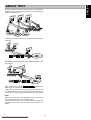
......................... Start of synchronised recording of a
complete disc and Auto Finalize
function selected
.............. Start of synchronised recording of a
complete disc
........... Start of synchronised recording of a
single track
................ manual start of recording selected
............................ level is being adjusted
........... time left on CD-R(W) disc is not
enough for proposed recording
................. copy prohibited track found during
recording. Track will be copied analog (Copy Protection Regulations).
.............. when erasing one or more tracks
................. when erasing a disc
.............. when finalizing a disc
.............. when REC is pressed while no digital source is detected
.............. time countdown when erasing a
track or a disc
................. time countdown when finalizing a
disc
........... to start manual recording, finalizing
or erasing
Downloaded From Disc-Player.com Marantz Manuals
18