1
Crestron SIMPL+
Software
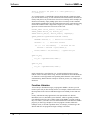
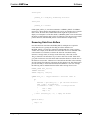
localStr = left(var3, 10);
}
Notice that the function shown above has three arguments, named var1, var2, and
var3. var1 and var2 are integers, while var3 is a string. Shown below is an example
of how to call this function from elsewhere in your program:
Call some_function( intVal1, 5+1, stringVal1);
Here we are assuming that the variable int1 has been defined as an integer earlier in
the program, as has the string variable, string1. Also note that the second argument is
a constant, and not a variable at all. This simply means that inside some_function,
the value of var2 will be set to 6.
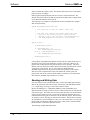
ByRef, ByVal, and ReadOnlyByRef
When defining a function’s argument list, there are optional keywords you can use
which give you greater control over the behavior of the arguments. These keywords
are ByRef, ByVal, and ReadOnlyByRef.
What do these keywords mean? Essentially they describe the way that SIMPL+
passes variables to the function. When a function argument is defined as ByRef, any
variable that is passed to this argument will pass enough information about itself to
allow the function to modify the value of the original variable. The term ByRef is
used because we say a “reference” to the original variable is passed to the function.
This reference can be thought of the memory location where the original variable
lives. When a function argument is defined as “ByVal”, only the value of the
variable and not the variable itself is passed to the function, so the original variable
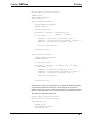
cannot be modified within the function. As an example, below is a function, which
takes two strings as arguments. It inserts one string into the other at a specified
character location:
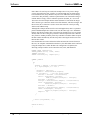
FUNCTION insertString(ByRef STRING string1, ByVal STRING
string2, ByVal INTEGER position)
{
STRING leftpart[20], rightpart[20];
leftpart = left(string1,position);
rightpart = right(string1,position);
string1 = leftpart + string2 + rightpart;
}
In this example, note that only the first string argument, string1, was defined as
ByRef.
Functions That Return Values
To this point all user-defined functions we have discussed have had one thing in
common: when the functions are finished executing they do not return a value to the
calling code. This statement is ambiguous, because some of the functions do modify
the values of their arguments, and thus these modified variables can be used by the
calling procedure. However, the term return value is used to describe the core value,
which is returned from the function to the calling procedure. Many system functions
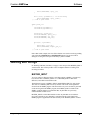
discussed earlier in this manual have return values. For example, here are some
statements that use the return values of functions:
36 • SIMPL+
Programming Guide – DOC. 5789A