1
Other options
Changing rooms
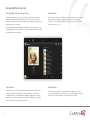
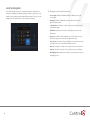
Controlling devices on screen
The current room name displays at the top of the screen. Select the name to
change the room.
The device controls page appears in the Navigator for most audio or video
devices, for example, DVD and media players.
Each device control is a virtual representation of the controls on your device’s
remote control. Select these buttons or choose from the list of channels or
stations on your Navigators. For example, select the Watch icon to watch your
favorite channels. Device controls are not available for the on-screen Navigator.
21