1
Connecting Audio Inputs
This section describes the analog inputs available on Fast Track C600. For information about
connecting specific audio sources, see “Connecting a Microphone” on page 12, and “Connecting Instruments to the Fast Track C600” on
page 14.
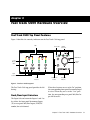
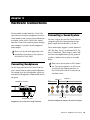
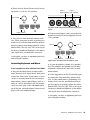
Each input section is located so that the hardware input jacks line up directly behind their
corresponding input controls on the top panel.
This makes it easier to locate channel input connections from the front. Furthermore, this layout results in the shortest, most direct signal
path to ensure the best possible sound quality.
Overview of Analog Inputs
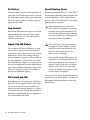
Fast Track C600 inputs support microphones,
guitars, keyboards, and other types of instruments. Fast Track C600 has four analog input
channels, labeled “1,” “2,” “3,” and “4” on the
back panel. Inputs “1” and “2” can also be accessed on the front panel when connecting instruments such as an electric guitar or bass (see
“Connecting Electric Guitar or Bass” on
page 14).
Instrument Inputs
Front panel instrument inputs
Mic/Line Inputs
When recording stereo sources, use a single input pair, for example Input 1 for the left input
and Input 2 for the right input.
1
2
4
3
2
1
Input 1-4 (Mic or Line)
Rear panel Mic/Line inputs
Input 2
Input 1
Inputs on front panel of Fast Track C600
Connecting a Microphone
Inputs 4, 3, 2, and 1
Mic Cables and Connectors
5
6
3
4
Line Outputs
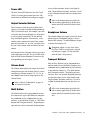
Microphones should be connected to the back
panel of Fast Track C600 using XLR cables.
1
2
4
3
2
Input 1-4 (Mic or Line)
Inputs on rear panel of Fast Track C600
12
Fast Track C600 User Guide
1
The Fast Track C600 can only supply phantom
power through a microphone cable with an XLR
connector (the 1/4-inch TRS portion of the
back-panel Combo connector does not carry
phantom power regardless of how the 48V