1
Unpacking
Subwoofer adjusting 7 :
Open carton flaps; remove all the components. If the speakers or the subwoofer appear damaged, do not use them.
Repack everything in the original packing and contact your
authorized Cabasse dealer immediately. We suggest you to
retain the packing for future use.
Take care to positioning the sector switch 110-120V/220240V in the right position according to your country.
CAUTION ! Handle with care the 23.5 lb (11.5 kg) of the
subwoofer. Use good lifting practice to avoid injury.
CAUTION ! To avoid electric shock or fire hazards, do not expose
speakers to rain or moisture.
CAUTION ! To avoid danger of suffocation keep the plastic bags that
wrap these speakers out of the reach of children.
Setting up
THE COMPONENTS OF YOUR SYSTEM 1 :
The power switch (located on the back) of the subwoofer
has 2 positions:
FF : CinéOle is disconnected from the power supply
O
network.
UTO : CinéOle turns automatically on «ON» or «STAND
A
BY» mode according to the presence of signal coming
from source it is connected to.
STAND BY : simply switch off the source or press the
red key nr 2 on the top right of the remote control to get
the «STAND BY» mode. Switch the source on or press
again the red key to get CineOle playing again.
OLUME : the adjustment of the volume will depend upon
V
needs. The average position is the “12 o'clock” position.
2 Eole 2 satellite speakers with magnetic cups for use on
bookshelf and on wall.
For wall mount always follow the drawing 2 regarding
the set up of the base. The system is not designed for the
crossed-out layouts : reversed base and ceiling mounting. Check
before wall mount of the base that the head of the screw is flat
enough neither to alter the magnetic link nor damage the paint of
the satellite.
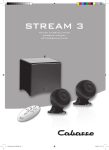
1 Santorin 21C active subwoofer subwoofer with its 4
spikes, 1 infra-red module, 1 set of speaker cables (2 x 6 m),
1 optical cable, 1 power cable, 1 CinéOle remote control
with 2 AAA batteries, one manual and one warranty card.
INSTALLATION 5 :
o solid object or piece of furniture should be placed
N
between the speakers and the listener.
F ront left and right speakers must be directed towards the
listening area and placed on either side of the screen with at
least a distance of 7 ft and 16 ft (2 and 5 m) between the
2 speakers.
he Santorin 21 subwoofer should be placed in the front
T
listening area. To get the best result, it is always necessary
to carry out tests according to the acoustics of the room. To
prevent interference with the screen of your CRT television
set, place the subwoofer at least 2 ft (0.6m) of your television set.
Connections
CinéOle has been designed for trouble free wiring, the
only possible mistake is the reversal of right and left when
hooking up the satellite speakers or using the RCA-RCA
connections between the Santorin 21C and a source.
Please follow carefully the quick plug play procedure.
CAUTION ! To prevent the risks of electric shock take care
to completely insert plugs of mains cords.
SET-UP OF THE CinéOle REMOTE CONTROL
To prepare your universal remote control ready for use, you
need to carry out one of the following programming modes.
The quickest mode is the set-up by Brand Code, followed if
necessary by the Learning Function of some keys. The 2nd
best solution is the Learning Function of each key of the remote control. The third solution is the Search mode (Automatic or Manual) which is easy to run but requires attention
for an extended period of time.
Up to 8 components (pads 3 to 8) can be controlled with the
CinéOle remote control : TV, DVR (Digital Video Recorder),
CBL/SAT (Cable/Satellite decoder), DVD/BD (DVD/ Blu Ray
Disk), TUNER, CD, AUX1, AUX2.
For each component you wish to be controlled with the universal remote control, choose the key whose name refers to
your component or to the same family of components.
A. Set-up by Brand Code
1. Switch on the device for which you wish to use the remote
control (e.g. TV set).
2. Find the code number of your device brand in the code list
(e.g. Lifetec 0050) from the relevant device group (TV).
3. Press and hold the button “SET”, simultaneously press the
device button (e.g. TV) for three seconds.
Release the button as soon as LED lights up, now it is in set
up mode.
4. Enter the 4-digit device code (e.g. 0050 for Lifetec TV) within 10 seconds. If no entry is made within 10 seconds, the
set-up mode is automatically terminated.
5. The LED turns off if the remote accepts the code. If the
LED flashes three times, it means that the code is considered
inappropriate. The remote control remains in set-up mode,
try another code from the list (e.g. 0057 for Lifetec TV)
6. Check the function of the buttons on remote control. If it
does not function correctly, try another 4-digit device code
(e.g. 0056…) from the list under the same brand. Repeat
steps 3 to 6 until all the basic functions operate correctly.