1
Programme Guide
Info
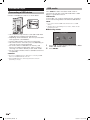
You can check the current schedule of DTV events and
view detailed information about current events.
1
2
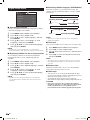
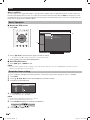
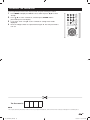
Press GUIDE to display the programme guide list.
Press a/b to display your desired programme,
and then press ENTER.
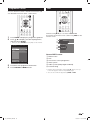
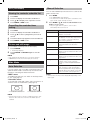
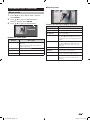
While watching DTV you can check the extended
programme information on the screen using INFO on the
remote control.
1
2
3
• When you press ENTER, the TV jumps to the channel.
Channel list
020
[Mon.] 18/6 13:27
4
5
6
ABC HDTV
13:23 - 13:30
Dorothy The Dinosaur
002 ABC TV Sydne
Dorothy The Dinosaur
020 ABC HDTV
Dorothy The Dinosaur
021 ABC2
Gardening Australia
022 ABC TV
Dorothy The Dinosaur
ABC2
People Dimensions
13:30 - 14:00
Input Info.
Video : 576i
Audio : MPEG
Age :
09
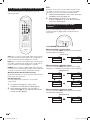
General INFO screen
Select channel
Page up/down
3
4
ENTER
: Enter RETURN : Back MENU Exit
R Program informati..
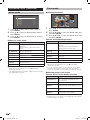
Press R to view programme information.
Press RETURN or MENU to exit.
1
2
3
4
5
6
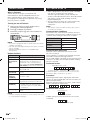
Station name
Title
Time for the current programme
Video system
Audio system (Dolby Digital or MPEG)
Parental rating
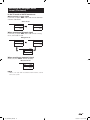
• If there is more information, pressing a/b allows you to go
to the next page or return to the previous page.
• You can cancel this info by pressing INFO or EXIT.
19
LC_60LE631X_EN.indd 19
11/5/2012 10:57:09 AM