1
3. Periodic Monitor Adjustment
4. Other Functions
3. Periodic Monitor Adjustment
The monitor brightness and color gradually alter. To compensate for changes, adjusting
once every 2-4 weeks is recommended.
The monitor should be readjusted if the system configuration changes as below.
•Changing the PC or graphics board
•Changing the connector on the monitor (ex. from SIGNAL1 to SIGNAL2) to the PC
or graphics board
•Changing the monitor resolution or color
•Changing the monitor location
•Replacing the room light
4. Other Functions
4-1.Setting Preferences
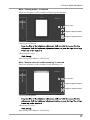
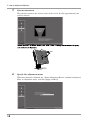
You can confirm and change the preferences for EIZO EasyPIX Software.
1
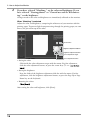
Open the Setting Panel
Windows
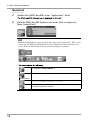
Right-click the EIZO EasyPIX Software icon on the notification area, and click [Open
Setting Panel] in the menu.
Macintosh
Click the EIZO EasyPIX menu bar, and click [Preferences] in the menu.
20