1
NOTE: THE RECEIVER AND REMOTE CONTROL RENTAL DEVICES ARE THE PROPERTY
OF CHARTER (OR ITS LEASING AFFILIATES) AND MUST BE RETURNED TO CHARTER
WHEN YOU ARE NO LONGER A CUSTOMER. FAILURE TO RETURN ANY PROPERTY
OF CHARTER WILL SUBJECT YOU TO ADDITIONAL CHARGES, POSSIBLE CRIMINAL
PROSECUTION, AND MAY RESULT IN YOUR CREDIT REPORT BEING NEGATIVELY
IMPACTED.
PAY-PER-VIEW* AND ON DEMAND*
Where available, Pay-Per-View and On Demand are for private, in-home viewing
only; no commercial establishments. To order one of these services, your account
must be current. Customers with digital receivers may order using Charter’s remote
control. To prevent unauthorized use in your household, you are responsible for
setting up a PIN number, Parental Control and Rating preference. Charter will not give
credit for the following circumstances: 1) unauthorized use, 2) if you tape a Pay-PerView event or movie and are not present to monitor the taping, 3) if you do not call to
report reception problems while the movie or event you ordered is on, 4) or if you do
not call to report you did not receive the movie you ordered, while that movie is on.
INSTALLING YOUR VCR AND DVD
Your DVD/VCR can be used to enhance your cable television experience. Installation of
your VCR or DVD can be completed through a variety of different methods depending
upon your viewing and recording requirements. Different options for installing your
VCR or DVD are described below. If you need assistance, Charter personnel will
help you understand how to make DVD/VCR and cable television service compatible
entertainment components. You can have maximum flexibility in watching what you
want to watch, when you want to watch it.
HOW TO CONNECT YOUR DVD PLAYER, RECEIVER, AND TV
TV
Receiver
Cable
Outlet
IN OUT
IN
Audio/Video In
DVD
Audio/Video Out
s #ABLEFROM#ABLE/UTLETTO).OF2ECEIVER
s #ABLEFROM/54ON2ECEIVERTO).ON46
s !UDIO6IDEOCABLESFROM/54ON$6$TO!UDIO6IDEO).ON46
(Match colors of cables red-to-red, yellow-to-yellow, etc.)
HOW TO CONNECT YOUR DVD PLAYER, RECEIVER, TV, AND VCR
TV
Cable
Outlet
VCR
Receiver
IN
OUT
IN OUT
IN
Audio/Video In
DVD
Audio/Video Out
s
s
s
s
#ABLEFROM#ABLE/UTLETTO).OF2ECEIVER
#ABLEFROM/54ON2ECEIVERTO).ON6#2
#ABLEFROM/54ON6#2TO).ON46
!UDIO6IDEOCABLESFROM/54ON$6$TO!UDIO6IDEO).ON46
(Match colors of cables red-to-red, yellow-to-yellow, etc.)
HOW TO CONNECT YOUR DVD PLAYER, RECEIVER, TV, AND VCR AND GAME
Game
Audio/Video Out
Cable
Outlet
IN
TV
VCR
Receiver
OUT
IN OUT
Audio/Video In
IN
Audio/Video In
DVD
Audio/Video Out
s
s
s
s
s
#ABLEFROM#ABLE/UTLETTO).ON2ECEIVER
#ABLEFROM/54ON2ECEIVERTO).ON6#2
#ABLEFROM/54ON6#2TO).ON46
!UDIO6IDEO#ABLESFROM'AMETO!UDIO6IDEO).ON46OR6#2
!UDIO6IDEO#ABLESFROM$6$TO!UDIO6IDEO).ON46
SA5CF0KA 0KB 0KC 0KD.indd 2
ADDITIONAL EQUIPMENT
Cable jumpers, signal splitters, amplifiers or A/B switches may cause signal
degradation if they do not meet Charter’s standards. Please contact us for assistance
in connecting any additional equipment to your home network. All cable connections
must be properly prepared and must be properly tightened.
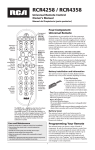
COMPATIBLE REMOTE CONTROLS
Charter uses digital receivers or analog set-top box with decoders that work in
conjunction with universal remote controls. Universal remote controls are available
from retail stores. The following is a representative list of compatible remote controls
currently available from retail stores. Although Charter has endeavored to ensure the
accuracy of the list, errors or omissions may occur. Please note that this list of current
universal remote control units may become obsolete with technological changes.
Should you have a question about the compatibility of your remote control unit,
please call the remote manufacturer or contact Charter.
Make
Description
Model
GE
4-Device Glow Keys Universal Remote 24906
Logitech Harmony
5-Device Advanced Universal
650
Logitech Harmony
15-Device Advanced Universal
915
Logitech Harmony
15-Device with Color Touch Screen
1100
RCA
5-Device Universal
RCRP05
RCA
8-Device Universal Big Button
RCR4358
Sony
8-Device Universal Learning Remote RMVL600
Universal Remote Control
7-Device Universal
R7
Universal Remote Control
18-Device Digital Universal
R50
Zenith
8-Device Universal Remote
ZC800
SPECIAL EQUIPMENT
BYPASS SWITCHES/SPLITTERS: This switch is installed on the input side of the receiver
to permit signals to bypass the receiver and be routed directly to your television set,
DVD or VCR. This will permit the simultaneous recording and viewing of different nonsecure programs, the consecutive recording of non-secure programming on different
channels, and the use of picture in picture features for non-secure channels. This
switch may be part of your receiver or it may be a separate device.
CUSTOM SETUP: If you wish to receive two secure channels at the same time (so that
you can watch a secure channel while recording another secure channel), a dual
tuner receiver or two single tuner receivers can be installed to facilitate this request.
AMPLIFICATION EQUIPMENT: Charter is required by federal regulation to deliver a
minimum signal to each television set. Charter’s network is designed to provide the
required signal for up to four home devices. If five or more outlets or devices are
connected to the home network, a signal amplification device may be required and
may be sold to the respective customer. Charter will install the amplification device.
CABLECARDs: The CableCARD is a piece of equipment, about the size of a credit card,
designed to allow a customer to see digital encrypted cable channels without using a
receiver if you have a newer television that supports the device. In some instances, a
receiver is still needed to receive advanced interactive digital cable services, including
but not limited to, On Demand, on screen ordering of Pay-Per-View or the enhanced
program guide. Please contact Charter to inquire about the availability of CableCARDs
in your area.
SELF HELP AND SUPPORT You will find help videos, user guides, troubleshooting
steps, and FAQ’s for Charter’s TV products and services at charter.com/support.
PARENTAL CONTROLS
Charter understands that there may be certain television programs available that
some customers find unsuitable for members of their household. Certain channels
containing sexually oriented programming are carried on the cable system. Signal
“bleed”, which results in partly discernible video images and audio, may appear on
these and other channels. Charter advises all customers to periodically audit the
cable channels to determine if any programming is deemed by them to be offensive
or inappropriate, as well as to prevent children from viewing signal “bleed” without
their parents’ knowledge or permission. Customers should also be aware that certain
home electronic equipment may be capable of “defeating” scrambled signals and
may make it possible to view the programming involved.
A parental control option is available to all Charter customers who have a receiver
hooked up to their TV. In some areas, one of our remote controls may also be
necessary in order to utilize this option.
Depending on the type of equipment in your home, parentally controlling a channel
may be as easy as pressing some buttons on the remote control or the receiver.
By exercising the parental control option, you can block the programming on many
channels for a certain amount of time. In most areas, our equipment allows our
customers to parentally control even local broadcast networks.
Page 2
E436T_92 SA5CF0KB
6/7/12 11:14 AM