1
22
Listening to Music
29
Recording from the Internal CD
Importing Music Files
System Requirements
Audio File Requirements
Cover Art Image Requirements
Importing from a PC
Importing from a Mac
Erasing a CD-RW Disc
Browsing your Music Library
Show and Hide Tracks
Playing the Current Title
Selecting a Different Song
Changing the Guide View
View By Artist
View By Title
View By Song
View By Cover
Changing the Current Play Mode
Viewing By Genre
23
24
24
24
24
25
26
28
29
29
30
30
31
31
31
31
31
32
33
Listening To Internet Radio
34
Managing Your Media
36
Browsing Internet Radio Stations
Playing the Current Station
Creating Playlists
Creating Groups
Adding Internet Radio Stations
Updating the Internet Radio Stations List
PAGE 3
34
35
36
37
38
39
Editing Music Information
Editing Track Names
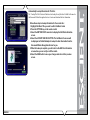
Automatically Lookup Information for This Disc
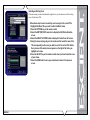
Searching for the Original Cover
Tips for Searching for Covers
Selecting an Existing Cover
Editing Radio Information
Editing Playlists
Editing Groups
Deleting Music
Deleting Playlists
Deleting Groups
40
41
42
43
43
44
45
46
47
48
49
50
Creating CDs
51
Setting User Preferences
54
Creating a Custom Mix CD
Duplicating a CD
Setting the Screen Saver Preferences
Activation Idle Time
Other Modes
Retail Demo Mode
Photo Screen Saver Mode
Setting Your Time Zone
customizable user interface
Enabling Password Protection Network Ethernet Settings Testing the Your Connection
Setting the FireBall Server SETTINGS
Peer to Peer Music Sharing
Selecting MP3 RECORDING QUALITY
Setting the Disc Insert Preferences
Video Output Preferences
51
53
54
54
54
55
56
57
58
59
60
61
62
63
64
65
66
FireBall™ SE-80 User’s Manual
Getting Music Into FireBall