1
Installing Your Hardware Components
6–5
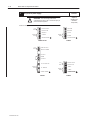
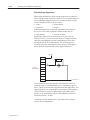
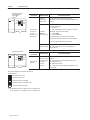
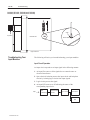
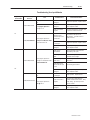
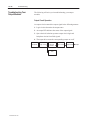
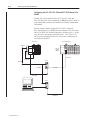
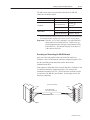
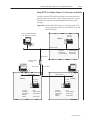
Communicating via DF1 Full-Duplex to an SLC 5/04 Processor with DF1
to DH+ Passthru Enabled
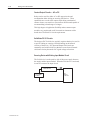
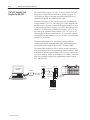
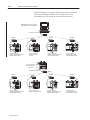
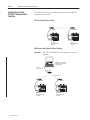
DF1 to DH+ passthru allows a device connected to channel 0 of an
SLC 5/04 processor communicating with DF1 full-duplex protocol,
to communicate with nodes on the DH+ network that the SLC 5/04
processor is connected to. Care must be taken when using this
feature. You could inadvertently access devices on the DH+ network
instead of channel 0 on the SLC 5/04 processor. Refer to the
Instruction Set Reference Manual for more details.
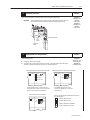
Downloading firmware to the SLC 5/03, SLC 5/04, and SLC 5/05
Processors
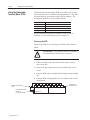
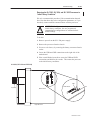
Follow these steps to download new firmware to the SLC 5/03,
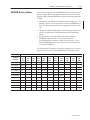
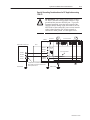
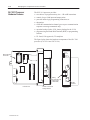
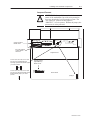
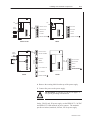
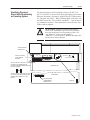
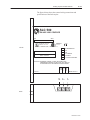
SLC 5/04, and SLC 5/05 processors. Refer to page 6–7 for
component placement information.
1. Save the current SLC 5/03, SLC 5/04, or SLC 5/05 processor
program to your hard drive using your programming software.
Important:
The user program is cleared as part of the operating
system upgrade process. You must restore your
program after successfully loading the operating system
upgrade. Also, all communication ports are returned to
default parameters.
2. Remove the communication cable between the SLC 5/03,
SLC 5/04, or SLC 5/05 processor and your programming
terminal.
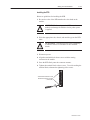
3. Remove power from the chassis containing the SLC 5/03,
SLC 5/04, or SLC 5/05 processor.
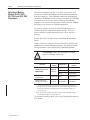
!
ATTENTION: Do not remove the processor from the
SLC 500 chassis until all power is removed from the
SLC 500 power supply.
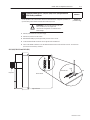
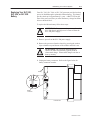
4. Remove the SLC 5/03, SLC 5/04, or SLC 5/05 processor from the
chassis.
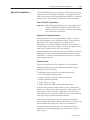
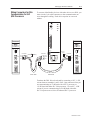
5. Plug the operating system upgrade pack into the memory module
socket.
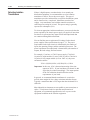
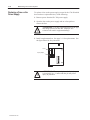
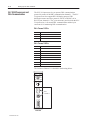
6. Move the operating system write-protect jumper (J4) to the
unprotected, or program, position.
7. Firmly seat the SLC 5/03, SLC 5/04, or SLC 5/05 processor back
into the chassis.
Publication 1747-6.2