1
C.2.2 Silent Mode Installation
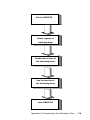
1. Check the System Requirements. The operating system
must be fully installed and running on the system before
running this software.
2. Close any running applications. Otherwise, you may
experience difficulties.
3. Run the InstallShield installation program:
Compressed .ZIP distribution : SETUP.EXE -s
4. The utility will perform the necessary updates and record
the installation status in the following system registry key:
HKEY_LOCAL_MACHINE\Software\Intel\Intel Security Driver
5. NOTE: The system MUST be rebooted for all device updates
to take effect.
6. To determine whether the install was successful, verify
the 'install' value in the registry key specified in Step 4.
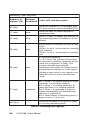
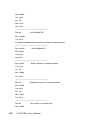
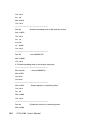
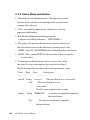
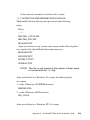
The following table describes the various parameter values:
Value
Type
------ ----
Data
----
Description
-----------
"install" String "success"
"fail"
The installation was successful.
The installation was not
successful.
No files were copied to the system.
"reboot" String "REBOOT"
A reboot is required to complete
the installation.
"No"
No reboot is required to complete
the installation.
148
PCA-6180 User's Manual