1
all.book
Page 5
Monday, September 29, 2003
4:48 PM
Table of Contents
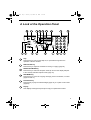
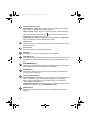
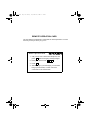
A Look at the Operation Panel
1. Installation
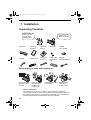
Unpacking Checklist . . . . . . . . . . . . . . . . . . . . . . . . . . . . . . . . . . . . .
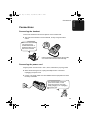
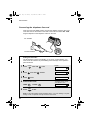
Connections . . . . . . . . . . . . . . . . . . . . . . . . . . . . . . . . . . . . . . . . . . .
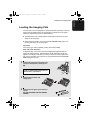
Loading the Imaging Film . . . . . . . . . . . . . . . . . . . . . . . . . . . . . . . . .
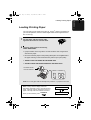
Loading Printing Paper . . . . . . . . . . . . . . . . . . . . . . . . . . . . . . . . . . .
Entering Your Name and Fax Number . . . . . . . . . . . . . . . . . . . . . . .
Setting the Date and Time . . . . . . . . . . . . . . . . . . . . . . . . . . . . . . . .
Setting the Reception Mode . . . . . . . . . . . . . . . . . . . . . . . . . . . . . . .
Volume Adjustment . . . . . . . . . . . . . . . . . . . . . . . . . . . . . . . . . . . . .
2. Using the Answering Machine
Recording an Outgoing Message . . . . . . . . . . . . . . . . . . . . . . . . . . .
Operating the Answering Machine . . . . . . . . . . . . . . . . . . . . . . . . . .
Optional Answering Machine Settings . . . . . . . . . . . . . . . . . . . . . . .
Transfer Function . . . . . . . . . . . . . . . . . . . . . . . . . . . . . . . . . . . . . . .
Override Ringing. . . . . . . . . . . . . . . . . . . . . . . . . . . . . . . . . . . . . . . .
Remote Operations . . . . . . . . . . . . . . . . . . . . . . . . . . . . . . . . . . . . .
3. Sending Faxes
Transmittable Documents. . . . . . . . . . . . . . . . . . . . . . . . . . . . . . . . .
Loading the Document . . . . . . . . . . . . . . . . . . . . . . . . . . . . . . . . . . .
Adjusting the Resolution and Contrast . . . . . . . . . . . . . . . . . . . . . . .
Sending a Fax by Normal Dialling . . . . . . . . . . . . . . . . . . . . . . . . . .
Sending a Fax by Automatic Dialling . . . . . . . . . . . . . . . . . . . . . . . .
Sending a Fax From Memory . . . . . . . . . . . . . . . . . . . . . . . . . . . . . .
4. Receiving Faxes
Using TEL/FAX Mode. . . . . . . . . . . . . . . . . . . . . . . . . . . . . . . . . . . .
Using A.M. Mode . . . . . . . . . . . . . . . . . . . . . . . . . . . . . . . . . . . . . . .
Using FAX Mode . . . . . . . . . . . . . . . . . . . . . . . . . . . . . . . . . . . . . . .
Using TEL Mode. . . . . . . . . . . . . . . . . . . . . . . . . . . . . . . . . . . . . . . .
Optional Reception Settings . . . . . . . . . . . . . . . . . . . . . . . . . . . . . . .
Substitute Reception to Memory . . . . . . . . . . . . . . . . . . . . . . . . . . .
7
10
10
11
15
17
19
21
23
25
27
27
28
32
34
37
39
46
46
47
48
50
52
59
61
61
62
63
64
67
70
5