1
NON-CONTACT TEMPERATURE MEASUREMENTS
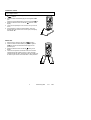
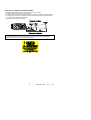
1. Set the function switch to the red IR Non-Contact ºC or ºF position.
2. Point the meter at the surface to be measured.
3. If needed, press the red IR Laser Pointer button to locate the exact spot being measured.
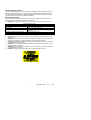
4. The area of the surface to be measured must be larger than the spot size as determined
by the distance to spot size specification.
5. Read the temperature in the display.
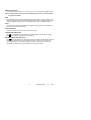
WARNING: Do not directly view or direct the laser pointer at an eye. Low power
visible lasers do not normally present a hazard, but may present some potential for
hazard if viewed directly for extended periods of time.
10
EX450-EU_ENG
V3.1
10/07