1
DVD OPERATION
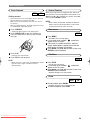
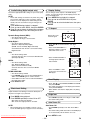
Title/chapter
Programme
DVD
CD
You may determine the order in which tracks will play.
1 In stop mode, press MODE.
• The programme screen will appear.
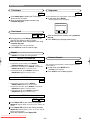
1 Press DIRECT SKIP to display the Title/Chapter
Search on the TV screen.
2 Enter the desired title/chapter number using
numerical key pad.
PROGRAM
TIME
0:00:00
1/1
--
START: PLAY
RANDOM: MODE
Time Search
DVD
CD
DELETE: CLEAR
EXIT: RETURN
2 Enter the desired track numbers using numerical
key pad.
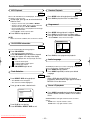
1 During playback, press DIRECT SKIP twice to dis-
3 Press PLAY to play the programmed tracks.
play the Time Search on the TV screen.
2 Within 30 seconds, enter a desired disc time using
numerical key pad.
• Playback will start at the specified time.
3 Press CLEAR to erase the incorrect input.
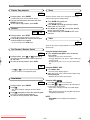
Repeat
• REPEAT are available only during playback.
Random Playback
REPEAT TITLE/CHAPTER
DVD
•
•
•
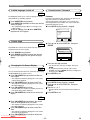
To repeat the current chapter, press REPEAT.
REPEAT CHAPTER appears on the TV screen.
To repeat the current title, press REPEAT a second time.
REPEAT TITLE appears on the TV screen.
To exit Repeat mode, press REPEAT a third time.
REPEAT OFF appears on the TV screen.
CD
This shuffles the playing order of tracks instead of playback
in the sequence.
1 In stop mode, press MODE twice.
• RANDOM screen appears.
2 Press PLAY to start random playback.
REPEAT TRACK
CD
•
•
•
To repeat the current track, press REPEAT.
REPEAT TRACK appears on the TV screen.
To repeat the entire disc, press REPEAT a second time.
REPEAT ALL appears on the TV screen.
To exit Repeat mode, press REPEAT a third time.
REPEAT OFF appears on the TV screen.
REPEAT A-B
DVD
CD
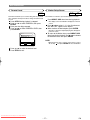
1 Press Repeat A-B at your chosen starting point.
• REPEAT A- appears briefly on the TV screen, and the TV
screen.
2 Press Repeat A-B again at your chosen end point.
• REPEAT A-B appears briefly on the TV screen, and the
repeat sequence begins.
3 To exit the sequence, press Repeat A-B.
Downloaded From Disc-Player.com Sharp Manuals
– 14 –
EN