1
FUNCTIONAL OVERVIEW
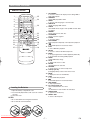
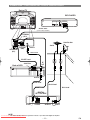
REMOTE CONTROL
1
2
3
4
5
6
7
8
9
10
11
12
13
14
25
OPEN/
OPERATE ON SCREEN DIRECT SKIP CLOSE
24
AUDIO
1
2
3
4
5
6
7
8
9
SUB TITLE
ANGLE
REPEAT
CLEAR
A-B
STILL/PAUSE
0
C
+10
SKIP
PLAY
REV
FWD
STOP
SETUP
23
MENU
TITLE
MODE
ENTER
ZOOM
15
RETURN
22
21
20
19
18
17
16
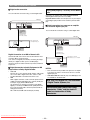
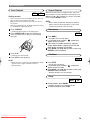
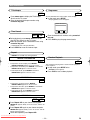
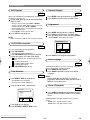
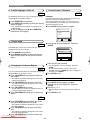
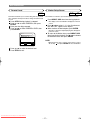
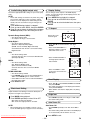
Loading the Batteries
1. Open the battery compartment cover.
2. Insert two R6 (AA) batteries, with each one oriented
correctly.
3. Close the cover.
1. ON SCREEN
to access or remove the display screen during DVD or
Audio CD playback
2. OPERATE
switch DVD player ON or OFF
3. AUDIO
to choose audio languages or sound modes
4. SUBTITLE
subtitle language DVD selector
5. ANGLE
select DVD camera angle of view (if DVD contains different angles)
6. REPEAT
repeat chapter, track, title, disc
7. A-B REPEAT
repeat a specific segment
8. CLEAR
to reset the setting
9. STILL/PAUSE
pause playback temporarily / frame-by-frame playback
10. h
to view DVD picture in fast reverse motion
11. PLAY
to start a DVD disc playback
12. SETUP
to access or remove the DVD setup menu
13. MODE
to set up programmed or random playback (Audio CD)
to set the black level during DVD playback.
14. ZOOM
enlarge DVD video image
15. TITLE
to display title menu of a disc
16. ENTER
acknowledge menu selection
17. RETURN
to return previous or remove setup menu
18. Arrow(L K B s)
(left/right/up/down) select an item in the menu
19. MENU
to display the menu of the DVD disc
20. STOP
to stop a DVD disc playback
21. g
to view DVD picture in fast forward motion
22. SKIP H,G
to skip chapter/tracks
23. 0-9 numerical key pad
select numbered items in a menu
+10
use this button to enter number 10 and above
24. OPEN/CLOSE
to open/close the disc tray
25. DIRECT SKIP
to locate a desired point
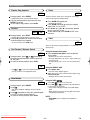
NOTES
• Do not mix alkaline and manganese batteries.
• Do not mix old and new batteries.
Downloaded From Disc-Player.com Sharp Manuals
–7–
EN