1
Gigaset S800-S800A / en Großbritannien / A31008-M2125-L101-1-7619 / registr_sett.fm / 20.05.2010
Handset settings
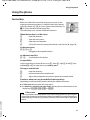
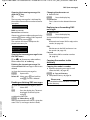
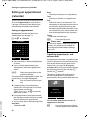
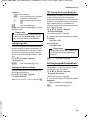
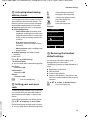
• Activating/deactivating
auto answer
If you activate this function, when you
receive a call you can simply lift the handset
out of the base/charger without having to
press the talk key c.
v ¢ Ï ¢ Telephony ¢ Auto Answer
§Change§
Press display key (³= on).
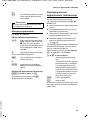
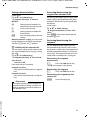
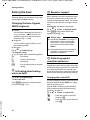
Changing the speaker/
earpiece volume
You can set the loudspeaker volume for
speaker mode and the earpiece volume to
five different levels.
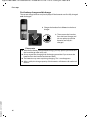
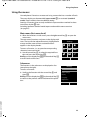
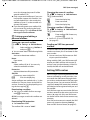
During a conversation via the earpiece or in
speaker mode:
ø/ ÷
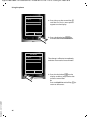
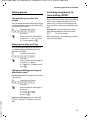
Press the side key to call up the
Handset Volume menu.
Change the volume by pressing
ø (louder) or ÷ (quieter).
or
t
Press the control key to call up
the Handset Volume menu. Set
the earpiece or speaker volume
by pressing r.
The setting will automatically be saved after
approximately 3 seconds, if not then press
the display key §Save§.
If t is assigned to another function, e.g., call
swap (¢ page 34):
§Options§
Open menu.
Volume
Select and press §OK§.
Configure setting (see above).
Please note
u The settings for the earpiece also
apply to a connected headset.
u You can also set the call volume using
Version 4.1, 21.11.2007
the menu (¢ page 29).
70
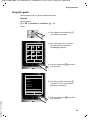
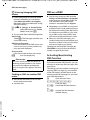
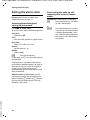
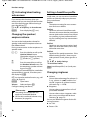
Setting a handsfree profile
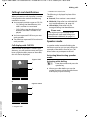
In idle state, you can set various handsfree
profiles to optimally adapt your phone to
your environment.
Profile 1
The optimum setting for most connections and set as default.
Profile 2
Optimum volume in handsfree mode.
However, this means that the participants
cannot speak at the same time as the person speaking is given preferential transmission (making two-way conversations
difficult).
Profile 3
Optimises two-way conversations, both
callers can hear each other, even if they
talk at the same time.
Profile 4
Optimised for special connections. If the
default setting (profile 1) does not provide optimum sound, please give this a
try.
v ¢ Ï ¢ Audio Settings
¢ Handsfree Profiles
Select handsfree profile (1 to 4) and press
§Select§.
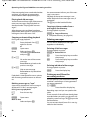
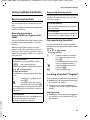
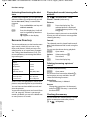
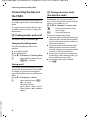
Changing ringtones
u Volume:
You can choose between five volumes (1–
5; e.g., volume 3 = Š) and the "crescendo" ringtone (6; volume increases
with each ring = ‡).
u Ringtones:
You can select a ringtone from a list of
pre-loaded melodies.
You can select various ringtones, melodies or any sound from the Resource
Directory (¢ page 72).
You can set different ringtones for the following functions:
u Int. Calls
u Extern. Calls