1
Y
R
LD
O
Explanations
Please note that you can only use the answering machine functions if you have acquired
the set with integrated digital answering machine.
About the set
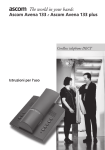
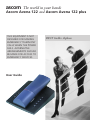
In choosing the Ascom Avena 122/Ascom Avena 122 plus you have acquired a cordless
telephone that combines the advantages of "untied telephoning" with the user comfort
of high-quality telephones. The set itself is designed using modern digital technology to
the European standard for cordless telephones (DECT). DECT technology offers a high
level of security against unauthorised interception in the radio area and good digital
quality of speech.
Besides the usual telephone features it also offers:
• the possibility of storing up to 20 abbreviated dialling numbers,
• adjustable handset volume and call charge metering,
• expansion option into a telephone system,
– operation of up to 6 handsets on one base station
– internal calls between 2 handsets
– operation of a handset on up to 4 base stations of the Ascom Avena 122/Ascom
Avena 122 plus family to expand the area in which you can make and receive
calls.
Safety notes
Warning!
Only use approved nickel-cadmium (NiCd) batteries or nickel-metal
hybrid (NiMH) batteries:
NiCd AAA: • Panasonic: P-25 AAAR
• Sanyo: N-4U
NiMH AAA: • Sanyo HR-4U
• Varta: VH 551 AAA
• Panasonic HHR55AAA
• Maxell: Ace HR-AAA
Using other battery cell types or non-rechargeable batteries/primary cells can be dangerous
and also lead to malfunctions of and/or damage to the set. Understandably, Ascom cannot
assume any liability in such cases.
– Make sure the battery cells are fitted correctly.
– Do not dip the battery cells in water; do not throw into the fire.
– Battery cells can become warm when being charged; this is a normal and harmless
process.
– Do not use third-party charging stations as they may damage the battery cells.
– Only use the enclosed SNG 4 af power supply unit for the base station and the
charging bracket.
– Before using the Ascom Avena 122/Ascom Avena 122 plus, hearing-aid users
should be aware that radio signals interfere with hearing aids and can cause an
unpleasant humming noise if sufficiently loud.
A1