1
CHANNEL SAFETY SYSTEMS
t: 0845 884 7000 | w: www.channelsafety.co.uk
6.11 - HMO Zones – commissioning users
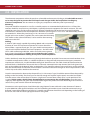
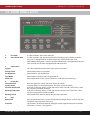
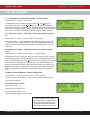
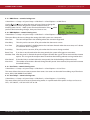
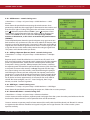
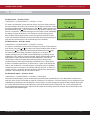
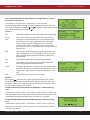
1.Main Menu>>1.Setup>>4.System Setup>>3.Edit Panel>>1.Panel Options>>4.HMO Zones
Use the and keys to select the zone, and press Enter to change the
zone type. Zones can be designated as either common zones or
dwelling zones. See 6.7 – HMO System for more information. Press when
you have finished making changes, then press Enter to save.
6.12 - HMO Options – commissioning users
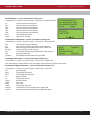
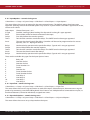
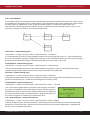
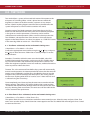
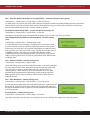
1.Main Menu>>1.Setup>>4.System Setup>>3.Edit Panel>>1.Panel Options>>5.HMO Options
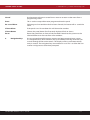
The menu allows the user to change the settings the HMO system was setup with.
Alert Tone
This tone will operate in the dwelling where the activation originated.
Alert Relay
This relay can be set to on, off or pulse when the alert tone is active.
Evac Tone
Tone to be sounded if a dwelling device has not been silenced within the react time, or if a device
in a common zone is triggered.
Evac Relay
This relay can be set to on, off or pulse when the Evac tone is being sounded.
React Time
If an alert is not silenced within this time period, the system will trigger an evacuation.
Ventilate Time After the panel is silenced the panel will ignore all other fire signals in that zone until this timeout
expires. This is to give the occupant time to ventilate the dwelling without causing another alert.
Alert Period
If the alert limit is reached within this time period, the whole building will be evacuated.
Alert Limit
The number of activations allowed during the alert period. Once reached, the panel will evacuate
the whole building.
6.13 - User Tones – commissioning users
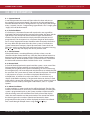
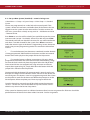
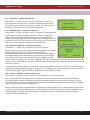
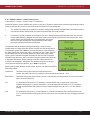
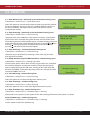
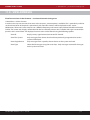
1.Main Menu>>1.Setup>>4.System Setup>>3.Edit Panel>>1.Panel Options>>6.User Tones
This menu allows the user to create 4 custom alarm tones. User tones can be made from adding any of four basic
tones; HIGH, LOW, WARBLE and SWEPT.
6.14 - User Relays – commissioning users
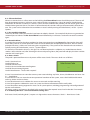
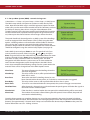
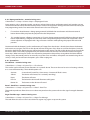
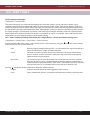
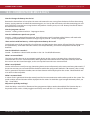
1.Main Menu>>1.Setup>>4.System Setup>>3.Edit Panel>>1.Panel Options>>7.User Relays
This menu allows the user to create 4 custom relay profiles. In a profile each of the panel’s 4 relays can be set as
OFF, 1 SEC ON/OFF, 1 SEC ON 2 SEC OFF or ON.
INSTRUCTION MANUAL - Issue 1 - 07/2014
| 22