1
Chapter 8 - Maintenance
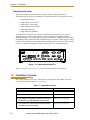
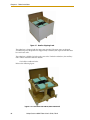
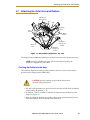
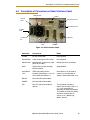
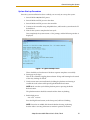
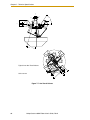
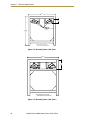
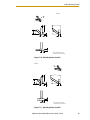
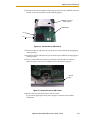
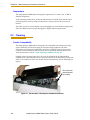
8. Remove the four hex-head screws holding the Status Display panel.
See the following figure:
Figure 8-5. Status Display Panel, Showing 4 hex-head Screws
9. Remove the Status Display panel.
The battery is supported in a bracket that is attached to the back side of the Status
Display panel with stand-offs. The battery is exposed when the Status Display
panel is removed.
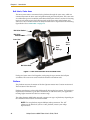
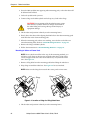
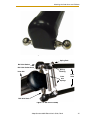
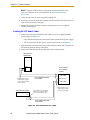
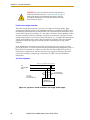
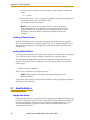
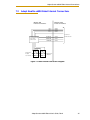
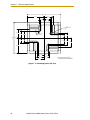
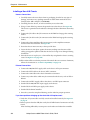
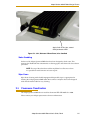
10. The battery bracket assembly has two connectors. Locate the unused battery
connector on the battery bracket. See the following figure:
\
Battery Cable Tie
Status
Display
Panel
In-use Battery
Connector
Diag Cable
Battery
Bracket
Unused
Battery
Connector
Figure 8-6. Battery Bracket on Status Display Panel
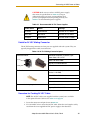
CAUTION: If battery power is removed from the robot,
factory calibration data may be lost, requiring robot
recalibration by Adept personnel.
104
Adept Quattro s650H Robot User’s Guide, Rev A