1
English
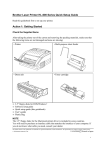
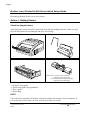
Action 2: Install the Toner Cartridge / Drum Unit
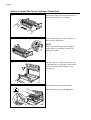
1
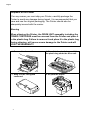
Unpack the drum unit and gently shake it
from side to side five or six times.
2
Remove the protective parts, in order, as
shown in the illustration.
NOTE
Do not expose the drum unit to light for
longer than a few minutes, as this will
damage the drum.
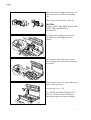
3
Open the top cover. Open the drum cover
by pushing the two blue tabs in toward the
center of the unit and lifting the cover
toward you.
4
Install the drum unit into the printer.
Make sure that you gasp the ▲ marks.
2