1
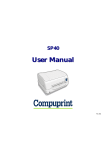
User Manual
Table of Contents
Compuprint Product Information
FCC Notes
Canadian D.O.C.
Radio Interference Regulation
EEC Regulations
Table of Contents
Printer Presentation
Unpacking the Printer
Printer Parts
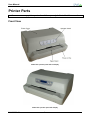
Front View
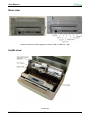
Rear View
Inside View
Printer Installation
Installing the Power Cable
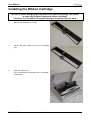
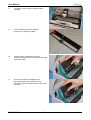
Installing the Ribbon Cartridge
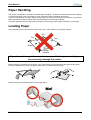
Paper Handling
Loading Paper
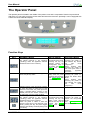
The Operator Panel
Function Keys
Leds
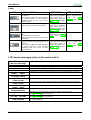
LCD display messages
Software Driver Selection
Connection to the Host
Setting the Interface Parameters
Parallel Interface
Serial Interface
USB Interface
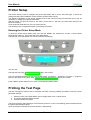
Printer Setup
Entering the Printer Setup Mode
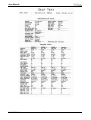
Printing the Self Test Page
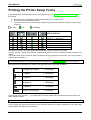
Printing the Printer Setup Forms
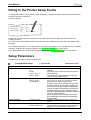
Filling the Printer Setup Forms
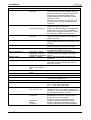
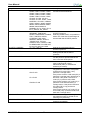
Setup Parameters
MAN10239-01
i
i
ii
ii
iii
1
1
2
2
3
3
4
4
5
9
9
10
10
11
11
12
13
14
14
14
14
15
15
15
17
20
20
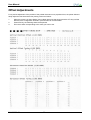
Offset Adjustments
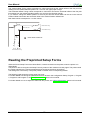
Reading the Preprinted Setup Forms
Printer Setup Flow Chart
Printer Setup through USB and RS232/C
Ports
Compuprint CDC RS-232 Emulation Driver
Installation
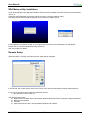
SP40Setup Utility Installation
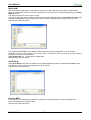
Remote Setup
Read NVM
Troubleshooting
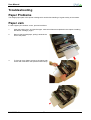
Paper Problems
Paper Jams
Paper Damaged after printing
Hexadecimal Dump
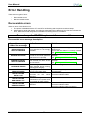
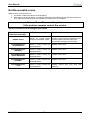
Error Handling
Recoverable Errors
Not-Recoverable Errors
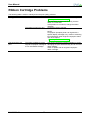
Ribbon Cartridge Problems
Paper Specifications
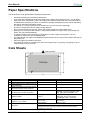
Cut Sheets
Passbooks
Passbooks with Horizontal Fold
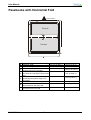
Passbooks with Vertical Fold
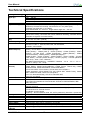
Technical Specifications
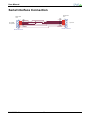
Serial Interface Connection
User Information according the European
Directive 2002/95/EC and 20003/108/EC
iii
26
27
28
29
29
31
31
32
34
34
34
35
35
36
36
37
38
39
39
40
41
42
43
44
45