1
Programming
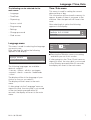
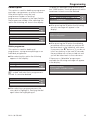
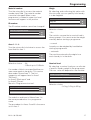
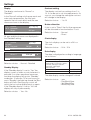
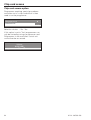
Material number
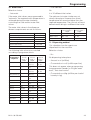
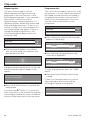
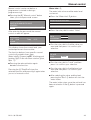
Weigh
Turn the rotary dial to access the material
number input field. The material number
cannot be changed! When a new
programme is created in supervisor level
xxxxxxxxx will appear in this position.
By selecting and confirming this option with
the rotary dial you can specifiy how laundry
is to be weighed.
Create ~ Programme header
Weigh: No
Nominal load: 10.0 kg
ID number
-
The ID number number cannot be changed!
e
Material number: xxxxxxxxx
ID number: 123456789
e
S
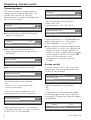
Selection choice:
Create ~ Programme header
-
e
e
A
S
A
– No
The controls assume that a nominal load is
always present. You cannot enter the weight
manually before starting a programme.
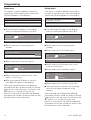
– manual
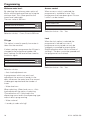
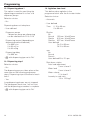
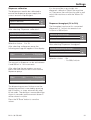
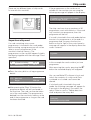
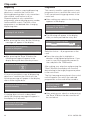
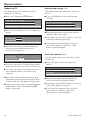
Area 1 - 2 - 3
Turn the rotoary dial clockwise to access the
input field for area 1.
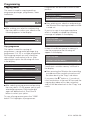
Create ~ Programme header
Area 1: No
Name Area 1: Pre-wash
-
e
S
e
A
Selection choice: - No
- 1 Block up to 10 Blocks
If a number of blocks are specified then an
area name needs to be given. This can be
done under "Name Area 1". The first
suggestion will appear here for Area 1
"Pre-wash",
for Area 2 "Main wash" and
for Area 3 "Rinses".
See also "Programme structure".
Area 1: 1 Block
Name Area 1: Pre-wash
e
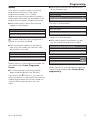
– automatic
The machine automatically weighs how
much laundry is in the drum.
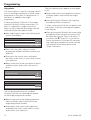
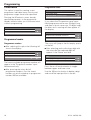
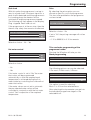
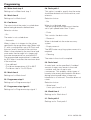
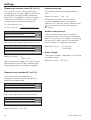
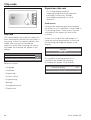
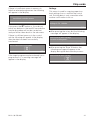
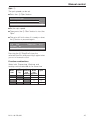
Nominal load
By selecting a nominal load you can allocate
a specific laundry weight to the programme.
The max. value will depend on the machine.
Create ~ Programme header
-
Nominal load: 10.0 kg
Minimum water level: 100 mm
-
e
S
e
A
Selection choice:
- 0.0 kg, 0.2 kg to 32 kg
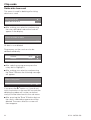
Create ~ Programme header
-
Laundry can be weighed by hand before
starting a programme.
S
e
A
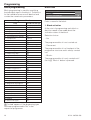
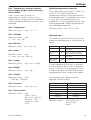
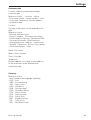
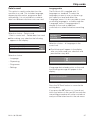
The selection and input of Name Area 1 is
the same procedure as for a programme
name.
The procedure for Areas 2 and 3 is the same
as for Area 1.
M.-Nr. 06 533 430
17