1
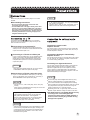
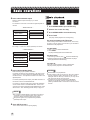
Super CD+G (SCDG) Operations
DVD
VIDEO
1
Super
CD+G
Video
CD
CD
Graphics
Audio
CD
Press MIC ON to set KARAOKE MODE ON.
This enables the key control and voice cancel (MPX)
features in the player. The SPEAKER SETUP is also
automatically changed to DOWNMIX: STEREO.
Be sure to set SPDIF OUTPUT as OFF in AUDIO
SETUP.
Super
CD+G
1
Insert the SCDG disc into the player.
2
Using numeric buttons, input a song number or
using / buttons, search for a song.
Microphone signal is only outputed through 2 Channel
Downmix (ML/MR) audio output terminals.
2
Wait for the title of the song to appear on the screen.
Press ENTER or PLAY to begin playback
When selecting a song after a rest or other operations
such as changing SETUP menu, it may take longer for the
song title to appear. Be sure to wait for the title before
pressing ENTER or PLAY to begin playback.
Insert a karaoke disc and seleact a song for
playback.
Each disc may require different steps to search through
menus and playback a song.
3
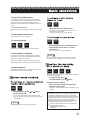
Press ECHO + and ECHO - on the remote control
to adjust the Echo level of microphones.
3
Press VOL + and VOL - buttons on the remote
control to adjust the volume level of playback
music in relation to the microphones.
5
Adjust the key (pitch) of the song by pressing
and
buttons according to your preference.
6
Press MPX button to set OFF / ON the lead vocal
in the song, to practive along or to sing in solo.
In most DVD Karaoke discs, the voice cancel feature is
controled by LANGUAGE button.
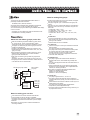
The programmed songs will play one song at a time,
waiting for a press of PLAY button at the end of each
song.
To see the list of programmed songs, press PROG. The
list will be displayed at the bottom of the TV screen.
4
To cancel a programmed song, press STOP.
5
To see playback status, press DISPLAY.
If stopped during playback, the song in play will be
canceled. If stopped while waiting for the next
programmed song, the song in waiting will be canceled.
Elapsed time and remaining time of the song will appear
sequentially. Press DISPLAY again to dismiss the
playback status.
Only certain karaoke discs (multiplex format) have
embedded lead vocals that can be set ON or OFF.
6
14
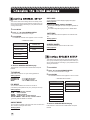
To program next songs, enter the song numbers
followed by pressing of PROG after each entry.
The programmed song will appear on the lower left corner
of the screen. You can program up to 10 songs.
Volume level of each microphone can be controled by
VOL1 and VOL2 controls in the front panel of the
player. Be sure to turn on the microphones.
4
After reading the disc, the initial SCDG screen will appear
on the TV screen..
Press PAUSE to pause the playback. Press
PLAY to resume playback.