1
08.06.01
35a-ger.fm
P 35 - pro, English, A31008-H4100-A1-6-7619
Fax/Data
Technical Information
65
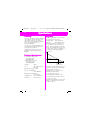
Sending Fax or Data
Fax and data services must be
enabled. Depending on the network,
there are several different types of
fax/data reception, so you should
check with your service provider.
Your PC must have appropriate
software installed for data/fax
communication.
• During a call:
First set the 85?%N function
(page 63) and then start your PC’s
communication program.
• Fax only:
Start your PC communication program. Enter the required destination
phone number.
During transmission.
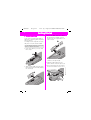
Connecting Units
Receive Fax or Data
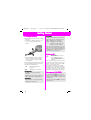
Data cable
A data cable (see page 74) is used to
connect the phone to the PC‘s serial
port.
Before you receive data/faxes,
establish the connection between
the phone and the PC and start
the communication program on
your PC.
The phone display will indicate the
type of call (fax or data) and you will
hear a special signal tone.
Fax/Data Prerequisites
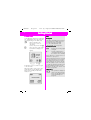
Infrared
If the IrDA interface integrated in the
phone is to be used, then the other
device must also have a corresponding interface.
Activate the infrared interface on the
phone.
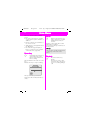
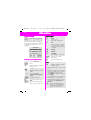
Indicator on the display
Align the infrared windows (max.
distance 50 cm) and activate the IrDA
interfaces.
)
Setting the PC
Your phone has an integral modem.
You will need to install a standard
modem in your PC‘s operating
system:
• Standard modem with
19 200 bit/s
• Fax Class 1 modem,
max. 9 600 bit/s
• Where appropriate IrDA
115 000 bit/s.
*
Ending Transmission
Transmission is normally ended with
the PC software. If necessary:
Press.
Technical Data
Modem Driver
Conforms to V.25 command set.
Data transmission speed
Conforms to the ITU-T standard of
V.22bis (transfer at 2400, 4800 and
9600 bit/s).
Facsimile
Facsimile operation at 2400, 4800,
7200 and 9600 bit/s. Conforms to
Service Class 1.