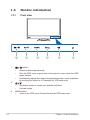
1
4.
•
Increasesvaluesormovesyourselectionright/up.
•
Brightnesshotkey
•
Selects an available input source.
button:
5.
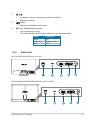
Powerbutton/powerindicator
6.
•
Turnsthemonitoron/off.
•
The color definition of the power indicator is as the below table.
1.3.2
Status
Description
White
White(fitful)
OFF
ON
Standbymode
OFF
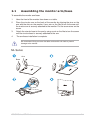
Back view
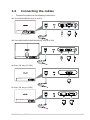
ML Series(ML238/ML239) only for H SKU
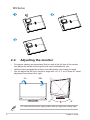
MS Series(MS236/MS238/MS246/MS248) only for H SKU
ASUSMSeriesLCDMonitor
1-3