1
4
INSTALLING THE SOFTWARE (AL-1641CS)
This chapter explains how to install the software that allows the AL-1641CS to be
used as a printer and scanner, and the procedures for using the printer and scanner
functions. The following term is used in this chapter.
CD-ROM
Means the supplied CD-ROM with the SHARP Personal MFP series software.
SOFTWARE FOR THE SHARP PERSONAL MFP
SERIES
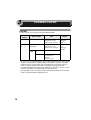
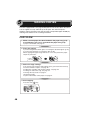
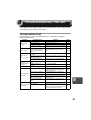
The supplied CD-ROM includes software for this unit.
MFP driver
Scanner driver
Permits you to operate scanning function of this unit with TWAIN-compliant and
WIA-compliant application.
Printer driver
Enables you to use the printer function of this unit with your computer.
Print Status Window
4
The print state and information on current printing are displayed on the status
monitor window.
Sharpdesk
An integrated software environment that makes it easy to manage document and
image files and launch applications.
Button Manager
Button Manager enabling the SCANNER (
) key located on the unit.
The scanning feature is only available with Windows 98/Me/2000/XP
using a USB connection. For users running Windows 95/NT4.0 or using
a parallel connection, only printing is available.
19