1
Using your USB Modem
•
Enable or disable SIM security that prevents others from using your SIM card if it is lost or stolen
•
Set options related to notifications and the 3G Watcher window
•
Create or modify an account profile
You do not need to run Watcher when you use the modem, but Watcher does provide useful status information.
Launching Watcher
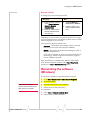
Unless this feature has been disabled, Watcher launches automatically anytime you insert the modem. You can also launch Watcher by:
Windows
Mac
•
Double-clicking the
desktop shortcut
, or
•
Clicking the Watcher icon
in the dock, or
•
Selecting Start >
Programs > Sierra
Wireless > 3G Watcher >
3G Watcher
•
Navigating to the Applications
> 3G Watcher folder and
double-clicking 3G Watcher.
Depending on how your profile is configured, your browser, VPN, or other program may launch automatically anytime you launch Watcher.
Enable Airplane mode
Immediately
When you enable Airplane mode, the radio transmitter/
receiver turns off. Use this mode when you are on an airplane or in any area where the use of wireless devices is restricted.
To enable Airplane mode:
1.
From the main menu, select Enable Airplane Mode.
When you exit Watcher
You also have the option to enable Airplane mode when you exit Watcher. If you do not need to receive or send data after shutting Watcher down, using this option helps to extend the life of the computer’s battery.
To enable Airplane mode when you exit Watcher:
1.
Rev 1.0 Sep. 09
Open the User Options window.
25