1
Platinum CCTV Surveillance Solutions
®
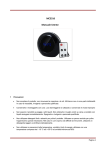
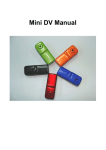
Mini Desk Clock DVR Hidden Camera Manual
Charging Battery:
You can charge the built-in rechargeable battery with the included mini USB cable or power adapter.
Use only the included power adapter or USB cable to a PC for charging. If the clock becomes
extremely hot while charging, then please disconnect power adapter immediately.
During charging, the Green LED will remain lit and the Red LED will flash. Once charging is complete,
the Red LED will stop flashing. The battery built in to the clock does not have a memory, but for the
first 5 charges, drain the battery completely, and make sure to charge the battery to saturation and
leave the cable plugged in to keep charging for ½ hour to 1 hour after the LED stops flashing.
Adjust DVR Time/Date:
The time and date of your DC-DVRx series mini alarm clock DVR can be configured by plugging the DCDVRx into your computer with the mini USB cable and running the Update_DVR_Time.exe file found
available for download at http://Platinum-CCTV.com/CCTV_Service_and_Support.asp This program
will synchronize the time/date on the DVR with the time/date on your currently connected computer.
Specifications:
Image Sensor
Resolution
Video format
Frame number
Viewable angle
Battery capacity
Operating Time
Snapshot Resolution
Type of memory card
Capacity of memory card
Player software
USB Interface
Operating system
Recording Usage
Charging time
2.0 MegaPixel
640x480
AVI
30fps
72°
300mAh
About 120 minutes
1280x960
MicroSD card
32GB maximum
Windows Media player / KM player
USB1.1/2.0
WIN 2000/ XP / Vista32 / 7
Approx 1GB/40 minutes
Approx 1 hour
©2010 Platinum CCTV Surveillance Solutions. All Rights Reserved
5