1
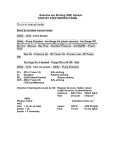
Main Menu Screen
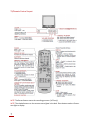
• Most of the settings can still be accessed through the Main Menu screen if remote is misplaced or damaged, by either pressing the MENU button or CH UP(S) and DOWN (T) on the TV set.
• Some features of your TV set will not be accessible without the remote. Contact a Sharp Ser‐
vice Center for a replacement if you lose it.
Set Up
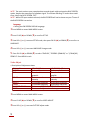
•EZ SETUP: By using the channel presetting functions, you can preset your T.V. to the desired channels for viewing.
1 Press MENU to access MAIN MENU screen.
2 Press CH UP (S) or DOWN (T) to scroll to SET UP.
3 Press VOL (+) or (–) to access SET UP mode, then press CH UP (S) or DOWN (T) to move to CH SETTING.
4 Press VOL (+) or (–) to access CH SETTING mode.
5 Press VOL (+) or (–) to access EZ SETUP mode.
6 Press VOL (+) and the tuner will start to search for the broadcasting and cable TV channels. The CH No. will automatically start to increase when it first appears. To stop the EZ SETUP pro‐
cess once it starts, press VOL (–) to cancel it . 7 Once EZ SETUP is completed, the lowest channel number memorized will be displayed.
Blue Screen
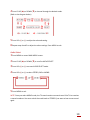
•Automatically turns the screen blue if a broadcast signal is not received.
Press MENU to access MAIN MENU screen.
1
2 Press CH UP (S) or DOWN (T) to scroll to SET UP.
3 Press VOL (+) or (–) to access SET UP mode.
4 Press VOL (+) or (–) to access BLUE SCREEN select mode.
5 Press VOL (+) or (–) to select ON. Press MENU to exit.
8